Tech & Wi-Fi
WiFi Hotspot Onboard: Enhancing Cruise Connectivity
WiFi hotspot onboard lets travelers access reliable internet at sea. Learn how it works, package options, device compatibility, and practical tips.
27 January 2026
WiFi Hotspot Onboard: Enhancing Cruise Connectivity
Stepping onto a Mediterranean cruise ship or ferry, staying connected through devices becomes as important as enjoying the coastline views. Reliable WiFi hotspot access lets passengers manage work meetings, share memories, or stream entertainment without skipping a beat during their voyage. With onboard networks powered by specialized equipment and satellite systems unique to sea travel, understanding how these hotspots work ensures you get the seamless online experience you need across Spain, Greece, and Italy.
Table of Contents
- WiFi Hotspot Onboard: Definition and Basics
- How Onboard WiFi Hotspots Work at Sea
- Types of Onboard WiFi Packages and Networks
- Device Compatibility and Connection Setup
- Costs, Limitations, and Common Issues
- Practical Safety and Optimization Tips
Key Takeaways
| Point | Details |
|---|---|
| Onboard WiFi is Different | Connectivity relies on satellite technology, facing challenges like ocean conditions and latency. |
| Multiple Hotspot Types Available | Options include public, private, and mobile hotspots to fit different needs. |
| Consider Packages Wisely | Choose the right WiFi package based on usage, such as hourly, daily, or weekly plans. |
| Security Matters | Use a VPN and follow best practices to protect personal data on public networks. |
WiFi Hotspot Onboard: Definition and Basics
When you step aboard a Mediterranean cruise ship or ferry, you probably want to stay connected. A WiFi hotspot is simply a physical location or device that broadcasts wireless internet access to multiple devices simultaneously. Think of it as the ship’s digital nerve center, allowing your smartphone, laptop, and tablet to communicate with the internet through radio waves rather than cables.
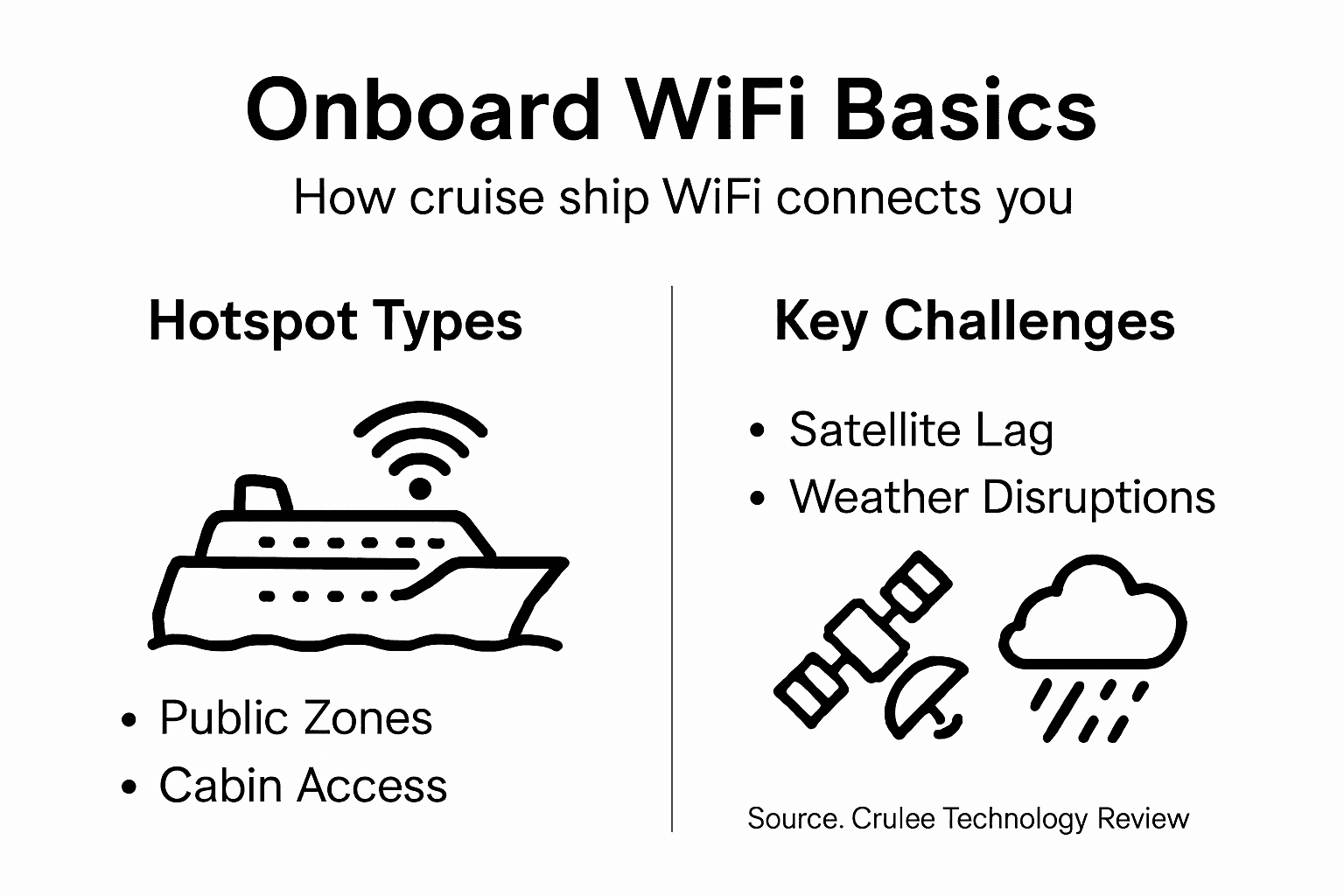
On cruise ships and ferries, WiFi hotspots work by transmitting a wireless signal from a router or access point connected to the ship’s satellite internet system. Passengers can detect these networks, select them from their device’s WiFi list, and connect almost instantly. Unlike the WiFi you might find at a cafe in Barcelona or Athens, onboard hotspots must contend with ocean conditions and satellite communication delays, which is why speed and reliability matter so much during your voyage.
There are essentially three types of hotspots you’ll encounter. Public hotspots are networks broadcast by the cruise line for all passengers, like Seafy’s onboard WiFi service. Private hotspots are personal connections you create by tethering your smartphone’s mobile data to other devices. Mobile hotspots blend both approaches, using cellular signals that maritime vessels supplement with satellite-based connectivity systems to ensure coverage even far from land.
Understanding the different WiFi types available helps you choose the right package for your needs. Whether you’re catching up on work emails, video calling family back home, or streaming content during sea days, the hotspot quality directly affects your experience.
Onboard hotspots on ferries and cruise ships operate on the same fundamental principle as their land-based cousins, but they face unique challenges. Ocean environment interference, satellite latency, and the sheer number of simultaneous users mean that connectivity requires specialized infrastructure and careful bandwidth management.
Pro tip: Download your entertainment and important files before sailing, as even premium WiFi packages experience peak usage times during evening hours when most passengers connect simultaneously.
How Onboard WiFi Hotspots Work at Sea
Onboard WiFi at sea operates through a completely different system than the land-based networks you use at home. Ships rely on satellite internet technology rather than traditional terrestrial infrastructure. Antennas mounted on the vessel’s mast capture signals from orbiting satellites, then convert those signals into WiFi that passengers can access throughout the ship. This process happens automatically, but understanding it helps explain why maritime connectivity differs from what you experience in port cities.
The satellite connection feeds into the ship’s central network infrastructure, which acts like a massive router distributing internet to hundreds of cabins and public areas simultaneously. Seafy’s service integrates this satellite backbone with user-friendly access portals, allowing you to connect, select your package, and start browsing within seconds. The system manages bandwidth carefully because multiple users streaming videos or video calling creates significant demand on limited satellite capacity.
Satellites come in two varieties. Geostationary orbit (GEO) satellites hang stationary above the equator and provide strong signals but experience noticeable latency (delay). Low earth orbit (LEO) satellites orbit much closer and offer faster speeds with minimal delay, though they require continuous signal handoffs as the ship moves. Many modern cruise lines now combine both technologies to balance speed and reliability across different onboard activities.
Here’s a quick comparison of satellite types used for onboard WiFi:
| Satellite Type | Typical Speed | Latency Level | Coverage Reliability |
|---|---|---|---|
| GEO (Geostationary) | Moderate | High (noticeable delay) | Stable, wide coverage |
| LEO (Low Earth Orbit) | Faster | Low (minimal delay) | Requires frequent handoffs |
| Hybrid System | Balanced | Medium | Combines strengths of both |
What makes maritime WiFi challenging is that signals must travel through ocean conditions and weather interference. Rain, fog, and rough seas can temporarily degrade connection quality. Additionally, the ship’s constant movement means antennas must continuously adjust to maintain the satellite lock. The difference between sea and land WiFi matters most when you need reliability for professional work.
Passengers connect to onboard WiFi the same way they connect at airports or cafes. You select the available network, open your browser, and authenticate through a captive portal where you enter your login credentials or purchase a package. Once connected, your device communicates through the ship’s network directly to the satellite and down to terrestrial internet infrastructure.
Pro tip: Test your connection speed during off-peak hours (early morning or late afternoon) to understand your actual bandwidth before scheduling important video meetings or large file downloads.
Types of Onboard WiFi Packages and Networks
Cruise ships and ferries don’t offer one-size-fits-all WiFi. Instead, they provide multiple package options designed for different passenger needs and budgets. Understanding what’s available helps you choose the right plan before boarding, ensuring you get the connectivity level you actually need without overpaying for unused capacity.
Most cruise lines offer a basic hourly pass for casual browsing and checking emails. This works well if you’re on a shorter voyage or plan to use WiFi sparingly. Next up is the daily pass, ideal for passengers who want reliable access throughout a single day without committing to a full week. Then there’s the weekly or voyage pass, which covers your entire trip at a flat rate and provides the best value if you’ll be online regularly.
Premium passengers often qualify for complimentary WiFi included in their cabin category or loyalty status. These packages typically offer faster speeds than basic plans. Seafy and other providers also sell streaming packages specifically optimized for video consumption, perfect if you plan to watch entertainment during sea days without burning through standard data limits.
Below is a summary of typical WiFi packages and their best uses:
| Package Type | Ideal For | Typical Cost (EUR) | Limitations |
|---|---|---|---|
| Hourly Pass | Quick check-in, email | 7–10 per hour | Limited time, not for streaming |
| Daily Pass | All-day access | 15–30 per day | May slow at peak hours |
| Weekly/Voyage | Frequent users | 50–100 per week | Often capped at certain speeds |
| Streaming Bundle | Entertainment, video | 120–150 per week | Restricted to specific content |
Network Standards and Speed Tiers
Understanding technical specifications matters when choosing packages. Modern onboard networks use advanced WiFi standards like 802.11ax (WiFi 6) operating on both 2.4 GHz and 5 GHz frequency bands. These standards deliver different speeds and range depending on your location aboard the ship.
Speed tiers typically include a Standard tier offering basic speeds for email and web browsing, a Plus tier supporting video calls and streaming, and a Premium tier delivering maximum bandwidth for remote work and simultaneous device usage. Connection speeds at sea vary based on satellite conditions, time of day, and how many passengers are online simultaneously.
During peak evening hours when most passengers connect, speeds naturally decrease across all packages. Off-peak morning hours typically deliver faster performance. Some cruise lines also offer crew-only networks separate from passenger systems, maintaining dedicated bandwidth for maritime operations and staff communications.
Pro tip: Purchase your WiFi package before boarding through the cruise line’s website or Seafy’s portal to lock in better pricing and ensure immediate access the moment you step onboard.
Device Compatibility and Connection Setup
Virtually every modern device can connect to onboard WiFi as long as it has WiFi capability. Smartphones, tablets, laptops, smartwatches, and even some gaming consoles work seamlessly with ship networks. The beauty of WiFi hotspots is their universal compatibility across devices and operating systems. If your device connects to WiFi at home or in a cafe, it will connect aboard your ship.
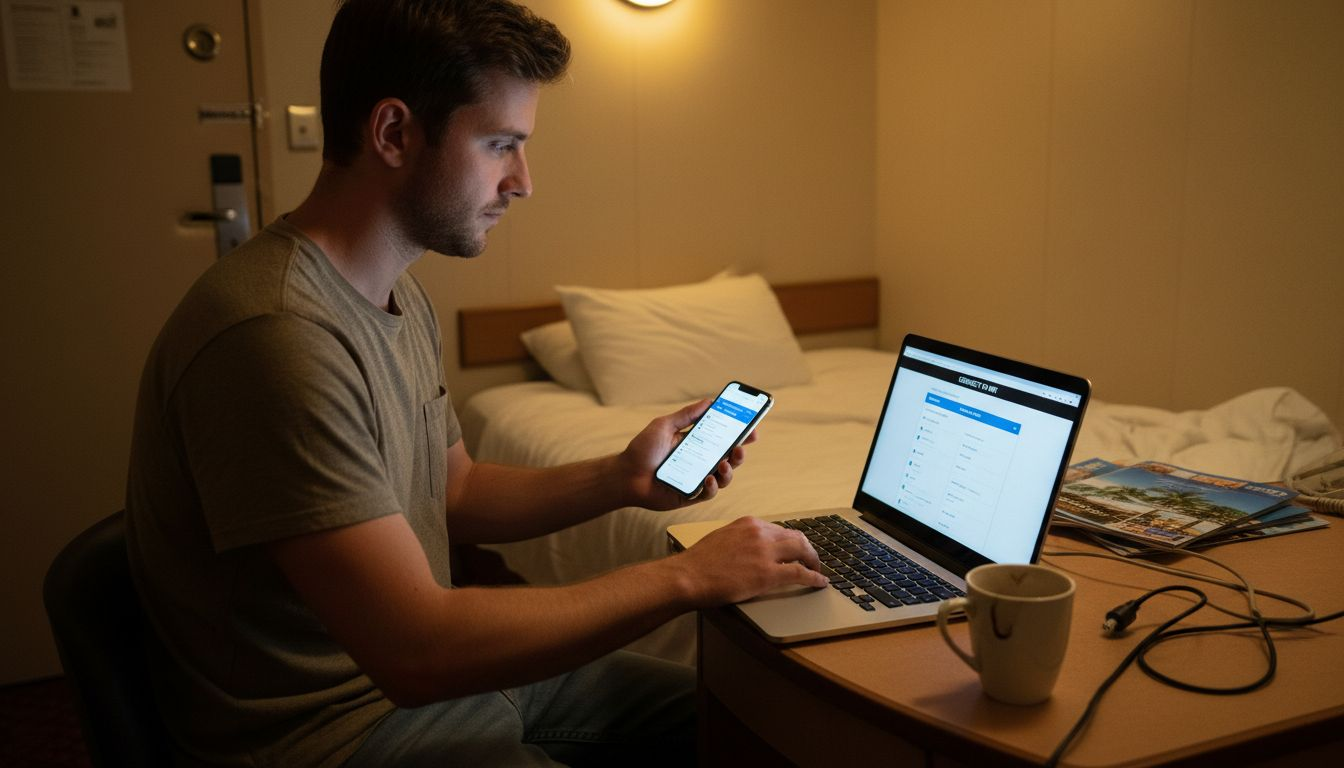
The connection process itself is straightforward. Open your device’s WiFi settings, scan for available networks, and select the ship’s WiFi network name (SSID). Your device will then prompt you to open a browser, which automatically redirects to a login page. From there, you enter your credentials or purchase a package, and you’re online. This captive portal system works on all major platforms without needing special software.
Sharing WiFi with Multiple Devices
If you travel with family or colleagues, you might want multiple devices on a single WiFi plan. Creating a personal hotspot using a smartphone or travel router allows you to share onboard internet across several devices. Android phones and Windows 10 computers both include built-in hotspot features that convert your WiFi connection into a personal network.
However, understand your cruise line’s policy first. Some ships restrict personal hotspotting or charge additional fees for tethering multiple devices. When setup is permitted, simply enable the hotspot feature on your primary device, set a password, and connect your other devices to that personal network. Battery drain becomes a concern with this approach, so bring a portable charger if you plan to run a hotspot continuously.
Setup Before Boarding
Prepare before embarkation to avoid onboard hassles. Update your device’s operating system and WiFi drivers at home. Test that your device connects to WiFi normally. Verify your purchase method (credit card, digital wallet) works in maritime environments. Download any large files you might need since onboard speeds may not support quick downloads.
When you board, locate the WiFi setup instructions in your cabin or ask at guest services. They’ll provide the correct network name and initial connection steps. Understanding roaming policies and data limits prevents unexpected charges or throttled speeds partway through your voyage.
Pro tip: Enable airplane mode on all devices before boarding, then manually turn WiFi back on and connect to ship networks; this prevents your devices from attempting connections to non-existent cellular towers and draining battery.
Costs, Limitations, and Common Issues
Onboard WiFi costs significantly more than what you pay at home or in Mediterranean cafes. A daily pass typically runs between 7 and 20 euros, depending on your cruise line and package type. Weekly passes range from 50 to 100 euros. Premium packages for unlimited streaming can exceed 150 euros for a week-long voyage. The high cost reflects the expensive satellite infrastructure required to deliver internet thousands of kilometers from land.
Pricing varies by cruise line and changes seasonally. Some lines charge per device, meaning your smartphone and laptop require separate packages unless you share via a personal hotspot. Others offer household plans covering multiple devices simultaneously. Loyalty program members often receive discounts or complimentary WiFi as cabin perks. Planning ahead and purchasing packages before boarding usually saves money compared to purchasing onboard.
Speed and Performance Reality
Cruise ship internet speeds are significantly slower than land-based broadband, typically ranging from 2 to 8 megabits per second. Video streaming works, but quality may drop to 480p or 720p resolution. Large file downloads take considerably longer. During peak evening hours when hundreds of passengers stream simultaneously, speeds drop further due to bandwidth congestion.
Latency poses another challenge. Satellite signals travel thousands of kilometers to orbit and back, creating noticeable delays in video calls and online games. You’ll notice the lag when using video conferencing apps. Email and web browsing work fine despite the delay, but real-time applications struggle.
Common Connection Issues
Weather disrupts satellite signals regularly. Rain, fog, and rough seas temporarily degrade or drop your connection. When the ship enters narrow channels or approaches land, signal strength fluctuates. Hotspot limitations aboard ships are substantial because ships primarily rely on satellite internet with bandwidth shared across hundreds of passengers.
Some ships restrict simultaneous device connections on a single account. Others throttle speeds if you exceed fair-usage thresholds. Outages occur occasionally due to system maintenance or equipment failure. Connection drops are common during route changes or when entering different satellite coverage zones.
Pro tip: Schedule important work, video calls, and large downloads during off-peak morning hours (7-10 AM) when fewer passengers compete for bandwidth and speeds stabilize at their highest levels.
Practical Safety and Optimization Tips
Onboard WiFi security matters as much as speed and reliability. Public networks broadcast your data across open airwaves, making it vulnerable to interception. Never conduct banking transactions or access sensitive accounts without a virtual private network (VPN). A VPN encrypts your connection, protecting your credentials and personal information from other passengers on the same network. Many VPN services work reliably even with maritime latency, though speeds will be slower.
Disable auto-connect features that automatically join WiFi networks. Malicious hotspots can masquerade as legitimate ship networks, stealing login credentials. Instead, manually select the official network name provided by your cruise line. Turn off file sharing and discoverable Bluetooth. Keep your device’s firewall enabled. These simple steps dramatically reduce your risk of data theft or unauthorized access while traveling.
Bandwidth Optimization Strategies
Maximize your limited bandwidth by downloading offline maps and entertainment before boarding. Store music playlists, ebooks, and videos on your device rather than relying on streaming. Disable automatic updates for applications and operating systems. Close background applications consuming data like cloud sync services and location tracking. These adjustments let you accomplish more with less bandwidth.
Adjust streaming quality consciously. Netflix and YouTube offer quality selectors that reduce data consumption significantly. Lowering video resolution from 1080p to 480p cuts bandwidth usage by roughly 75 percent. Email attachments download faster if you disable automatic image loading. Browse text-based websites instead of media-heavy sites when bandwidth is tight.
Managing Device Performance
Clear your browser cache regularly to free storage and improve browsing speed. Restart your device daily to refresh network connections and clear temporary memory. Close unnecessary applications and browser tabs. Reduce the number of simultaneously connected devices sharing a single WiFi package. Each device competing for bandwidth slows everything down collectively.
Position yourself physically closer to WiFi access points in public areas when possible. Signal strength deteriorates with distance and obstacles like cabin walls. Reorient your device antenna toward the nearest access point. Moving from a sheltered cabin to the atrium or dining area often dramatically improves reception and speeds.
Pro tip: Use offline-first apps like offline messaging, downloaded maps, and cached email so you accomplish tasks without constant connectivity, then sync data when connection quality improves.
Stay Seamlessly Connected with Seafy Onboard
Navigating the challenges of onboard internet like latency, speed fluctuations, and weather interference can be frustrating during your cruise or ferry voyage. Passengers and professionals alike seek reliable WiFi hotspot solutions that support work, entertainment, and communication without the usual hassle and unpredictability of satellite connectivity. The article highlights common pain points such as peak hour slowdowns, connection drops, and expensive per-device charges that can spoil your maritime digital experience.
Seafy specializes in overcoming these unique challenges by partnering with top Mediterranean ferry lines and cruise operators. Through cutting-edge satellite tech integrations like Starlink and an easy-to-use portal, Seafy offers dependable high-speed WiFi packages tailored to your needs. Whether you want to stream shows comfortably or stay productive with stable video calls, Seafy transforms the way you connect at sea.

Ready to upgrade your onboard connectivity and enjoy smooth, consistent internet service free from typical maritime disruptions Discover how Seafy’s innovative platform delivers real results at Seafy. Explore available WiFi packages and get connected before you even step on board to maximize your entire voyage experience. Connect smarter now with Seafy onboard solutions and make slow or unreliable internet a thing of the past.
Frequently Asked Questions
What is a WiFi hotspot onboard a cruise ship?
A WiFi hotspot onboard a cruise ship is a physical location or device that provides wireless internet access to passengers using satellite internet technology.
How does onboard WiFi work at sea?
Onboard WiFi works through antennas on the ship that communicate with satellites, converting satellite signals into WiFi that passengers can connect to throughout the vessel.
What types of WiFi packages are available on cruise ships?
Cruise ships typically offer various WiFi packages including hourly passes for casual browsing, daily passes for consistent access, and weekly or voyage passes for extended trips, plus streaming bundles for video content.
What should I do if I experience connection issues while using onboard WiFi?
If you encounter connection issues, try using the WiFi during off-peak hours, restarting your device, or moving closer to public access points. Additionally, disabling auto-connect features and using a VPN can enhance security and reliability.