Tech & Wi-Fi
Crew Portal Explained: A Guide for Maritime Professionals
Discover how a crew portal simplifies maritime operations. Crew portal explained: access schedules, tasks, and safety tools effortlessly!
08 June 2026
Crew Portal Explained: A Guide for Maritime Professionals
TL;DR:
- A crew portal is a role-based digital platform that centralizes schedules, certifications, payroll, and safety tools for seafarers. It enhances onboard connectivity and streamlines operational tasks through offline capabilities, real-time updates, and secure authentication. Using a crew portal improves efficiency, autonomy, and safety, especially when paired with reliable internet access at sea.
A crew portal is a role-based digital platform that gives seafarers direct access to their schedules, certifications, payroll documents, tasks, and safety reporting tools from a single interface. Think of it as your personal operations hub at sea. Platforms like Alma Management, V.Crew Connect, and crewOS represent the current standard in maritime crew management tools, each designed to reduce the administrative friction that has long burdened life onboard. Understanding what a crew portal does and how to use it well is one of the most practical steps you can take to improve your daily workflow at sea.
Crew portal explained: core features and what they do
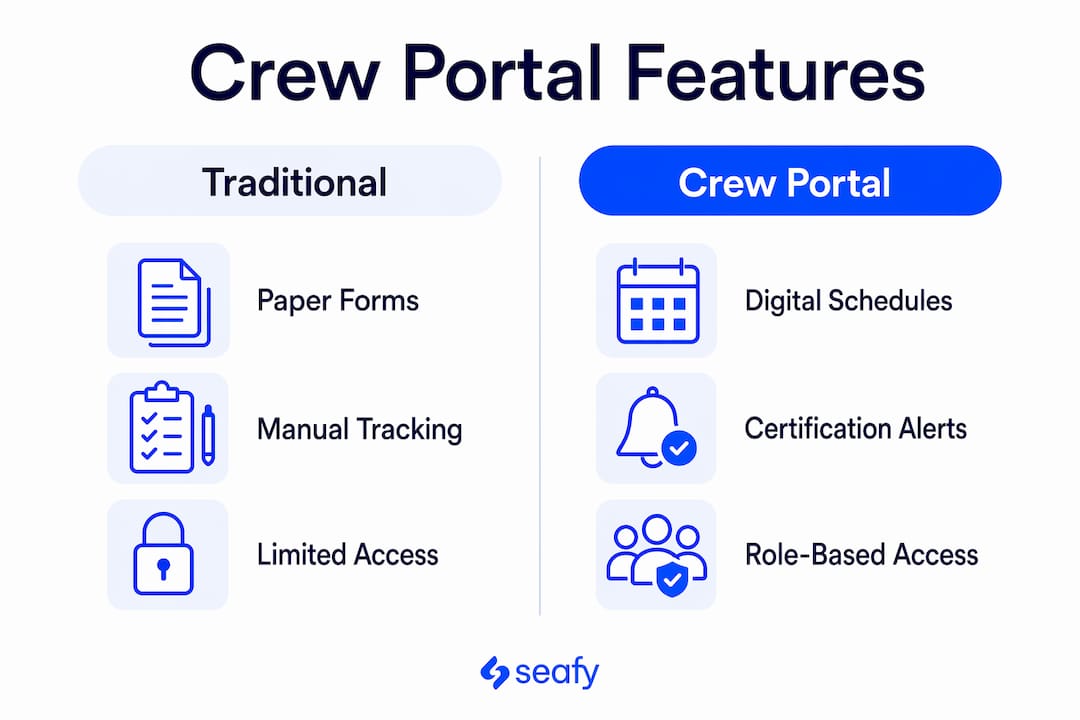
A crew portal is not just a document folder. It is a live operational system that connects you to every administrative function you need before, during, and after a voyage.
The most common crew portal features include:
- Schedule and assignment access: View your next rotation, embarkation date, and vessel assignment in real time. No more waiting for an email or a phone call from the crewing office.
- Digital certification management: Upload, track, and receive expiry alerts for your STCW certificates, medical documents, and endorsements. Crewvector’s portal centralizes payslips and financial documents under a dedicated finance section, making payroll self-service a standard expectation rather than a privilege.
- Electronic contract signing: V.Crew Connect allows seafarers to sign contracts electronically and monitor pre-embarkation tasks directly from a mobile app. This eliminates the paper chase that used to delay sign-on by days.
- Safety and task reporting: Submit safety observations, near-miss reports, and task confirmations without visiting the bridge office. The record is timestamped and stored digitally.
- Leave requests: Submit and track leave applications through the portal rather than through informal channels that are easy to lose.
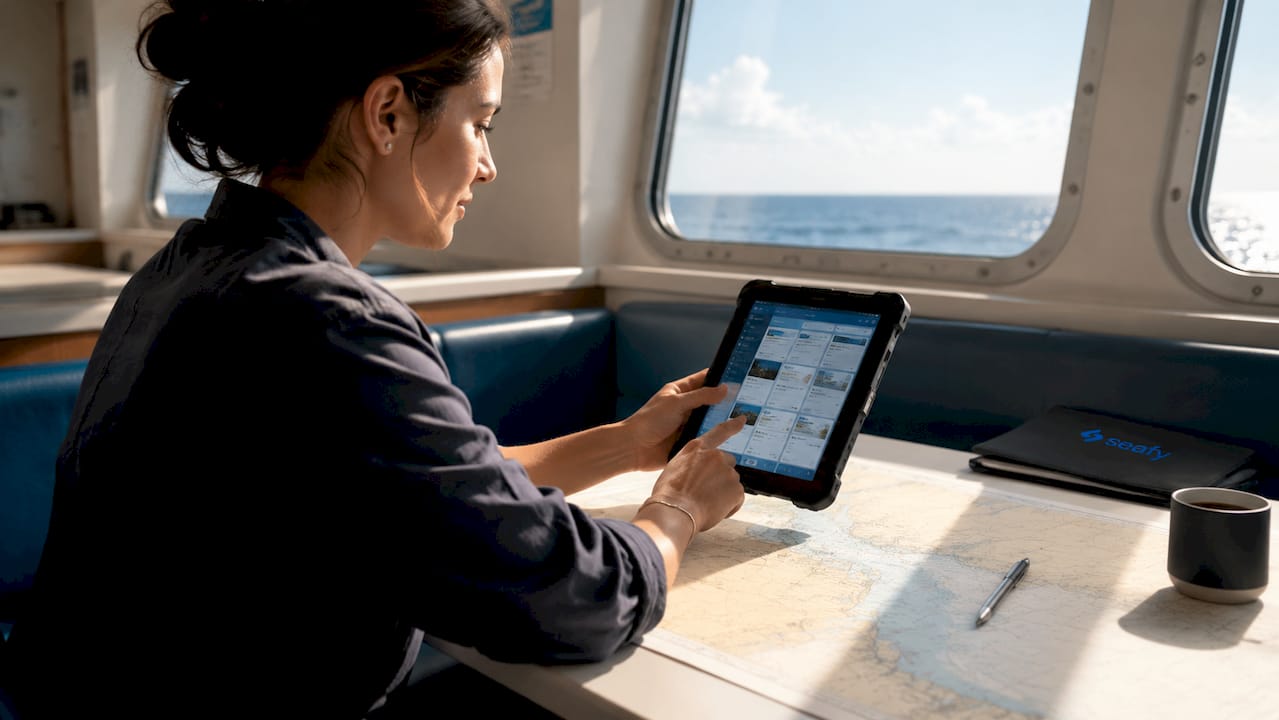
- Mobile and offline access: Many platforms support offline functionality, so you can complete training modules and compliance forms even when satellite connectivity is limited.
Pro Tip: Set up push notifications in your crew portal app before departure. Certification expiry alerts and schedule changes are far easier to manage when they reach you proactively rather than when you discover them mid-voyage.
The offline capability deserves special attention. Maritime training portals like HELMS support offline vessel installation and automated certification management, meaning compliance does not stop when the internet does. That is a practical necessity, not a bonus feature.
How do crew portals improve onboard connectivity and communication?
Crew portals do more than store documents. They manage how information flows between you and ship operations, and they do it in a way that keeps crew traffic separate from passenger internet.
Here is how the connectivity architecture typically works:
- Role-based authentication: Your login credentials determine exactly what you see. A deck officer sees different data than an engineer or a catering crew member. This separation prevents information overload and keeps sensitive operational data secure.
- Dedicated bandwidth allocation: Nowhere Networks provides crew connectivity solutions with identity management and traffic prioritization, enforcing cloud-controlled policies that keep crew internet reliable even when passenger demand peaks. Crew connectivity is treated as mission-critical, not as a secondary service.
- Single sign-on (SSO) integration: SSO reduces the number of times you need to verify your identity across different systems. Secure digital identity with SSO is the single biggest factor in smooth crew portal adoption, because the highest friction point is correctly linking your identity to your contracts, schedules, and certificates.
- Offline training and compliance: Systems like HELMS use offline vessel installation as a core design feature, not an afterthought. You can complete assessments and log compliance records without any active internet connection.
- Real-time role-specific updates: Synchronized updates target your specific role, reducing the miscommunication that comes from broadcasting the same information to everyone onboard. Airline crew portal design patterns, as documented by Avibright, confirm that role-specific data delivery measurably improves operational clarity.
Pro Tip: If your vessel uses a captive portal system for Wi-Fi access, learn how to navigate it before you need it urgently. Seafy’s guide on how captive portals work explains the technical environment your crew portal operates within.
What are the practical benefits of crew portals for maritime professionals?
The operational case for crew portals is clear. A pan-European shipping carrier reported a 63% reduction in onboarding time after adopting mobile self-service platforms with certification integration and AI scheduling. That figure reflects what happens when manual paperwork is replaced with digital self-service across the entire onboarding workflow.
Here is a direct comparison of the traditional approach versus the crew portal approach:
| Area | Traditional process | With a crew portal |
|---|---|---|
| Onboarding documentation | Paper forms, fax, email chains | Digital upload with automated verification |
| Certification tracking | Manual spreadsheets, risk of expiry gaps | Automated alerts before expiry dates |
| Payslip access | Request from payroll office, wait days | Instant self-service access via portal |
| Contract signing | Physical signature, courier, delay | Electronic signing from mobile app |
| Safety reporting | Paper forms, manual filing | Digital submission with timestamped records |
The welfare dimension matters too. When you can access your own records, submit leave requests, and report safety concerns without going through a supervisor for every step, your sense of control over your own career improves. Transitioning manual crew tasks to mobile self-service platforms significantly accelerates onboarding and improves crew autonomy. That is not a soft benefit. It directly affects retention and morale on long voyages.
How to use a crew portal effectively
Getting the most from your crew portal comes down to consistent habits rather than technical skill. The platform does the heavy lifting. Your job is to keep your data current and use the tools proactively.
- Keep your certifications updated: Upload new certificates as soon as you receive them. Do not wait until the portal flags an expiry. Most platforms send alerts 30 to 90 days before a document expires, but only if the document is in the system.
- Use offline features during low-connectivity periods: Download training modules and compliance forms before you lose satellite signal. Complete them offline and sync when connectivity returns.
- Review your schedule weekly: Check for rotation changes, vessel reassignments, or updated embarkation times. Catching a change early gives you time to respond without stress.
- Sign contracts as soon as they appear: Electronic contract signing through platforms like V.Crew Connect is fast, but delays on your end can hold up the entire crewing process for your vessel.
- Submit safety reports promptly: Safety reporting through a crew portal creates a documented record that protects you and improves onboard safety culture. Use the feature every time, not just for serious incidents.
- Engage with task tracking before embarkation: Many portals show pre-boarding task lists. Completing these before you step onboard means your first day is operational, not administrative.
Reliable internet access is what makes mobile crew portal use practical at sea. Seafy’s article on internet at sea covers how connectivity supports task completion and compliance even during limited satellite windows.
Key takeaways
A crew portal functions best as a live workflow tool that closes operational loops through e-signing, task tracking, safety reporting, and certification management, not as a passive document archive.
| Point | Details |
|---|---|
| Core definition | A crew portal is a role-based platform centralizing schedules, certifications, payroll, and safety tools. |
| Offline capability | Platforms like HELMS support offline access, keeping compliance active without internet. |
| Onboarding efficiency | Mobile self-service portals have cut crew onboarding time by 63% in documented cases. |
| Role-based access | Separate authentication for crew and passengers protects data and maintains bandwidth reliability. |
| Best practice | Keep certifications current, sign contracts promptly, and use offline features proactively. |
Why crew portals are more than just digital filing cabinets
I have spent enough time around maritime operations to know that the biggest resistance to crew portal adoption is not technical. It is cultural. Crew members who spent years managing their careers through paper documents and phone calls often see a portal as just another system to learn. That framing misses the point entirely.
The real value of a crew portal is not storage. It is closure. When you confirm a task, sign a contract, or submit a safety report through the portal, that action is recorded, timestamped, and visible to everyone who needs to see it. The communication loop closes. That is something a paper form in a binder never did reliably.
The friction point I see most often is identity mapping. Linking your correct identity to your contracts, schedules, and certificates is where most adoption problems start. Platforms that invest in secure SSO integration solve this faster than those that treat login as an afterthought. If your portal login feels clunky, that is the problem to fix first.
Looking ahead, AI scheduling and automated compliance alerts are already appearing in platforms like those covered in the Eagle Intelligence 2026 report. The portals that will matter most in the next five years are the ones that do not just store your data but actively surface what you need to act on next. That shift from repository to assistant is where the real operational gains will come from.
— Raffaele
Stay connected at sea with Seafy
Using a crew portal effectively depends on having reliable internet access onboard. Seafy provides high-speed Wi-Fi on ferries and cruise ships across the Mediterranean, trusted by operators including Corsica Ferries, Grimaldi Lines, and GNV. Whether you need to sync offline portal data, access your schedule, or submit a safety report, Seafy keeps you connected when it counts.

Seafy integrates with satellite technologies including Starlink to deliver stable connectivity even on long routes. Activating your onboard internet package is straightforward through the Seafy platform. You can get online quickly and focus on what matters: your work and your wellbeing at sea. ⚡
FAQ
What is a crew portal in maritime operations?
A crew portal is a role-based digital platform that gives seafarers access to schedules, certifications, payroll documents, tasks, leave requests, and safety reporting tools. Examples include Alma Management, V.Crew Connect, and crewOS.
What are the main crew portal features?
Core features include digital certification tracking, payslip access, electronic contract signing, task management, safety reporting, and mobile offline functionality. Platforms like V.Crew Connect and HELMS cover most of these functions.
How does a crew portal differ from passenger internet onboard?
Crew portals use role-based authentication and dedicated bandwidth allocation that is separate from passenger traffic. Providers like Nowhere Networks enforce cloud-controlled policies to keep crew connectivity reliable regardless of passenger demand.
Can I use a crew portal without internet access?
Yes. Platforms like HELMS support offline vessel installation, allowing you to complete training modules and compliance forms without an active internet connection. Data syncs automatically when connectivity is restored.
How do crew portals reduce onboarding time?
By digitizing certifications, contract signing, and compliance workflows, mobile self-service portals have reduced crew onboarding time by 63% in documented cases, according to the Eagle Intelligence Maritime Self-Service Report 2026.