Tech & Wi-Fi
How to Stay Connected Offshore: 2026 Complete Guide
Discover how to stay connected offshore with high-speed satellite internet, 5G coverage, and reliable messengers. Stay online anywhere in 2026!
25 June 2026
How to Stay Connected Offshore: 2026 Complete Guide
TL;DR:
- Layered satellite, cellular, and emergency communication systems ensure reliable offshore connectivity. Proper setup, power management, and disciplined protocols are essential for safe and continuous communication at sea. Different scenarios require tailored solutions, with Starlink leading deep-water broadband options.
Staying connected offshore means combining high-speed satellite internet, coastal 5G cellular coverage, and dedicated satellite messengers into one layered system. Knowing how to stay connected offshore is no longer a luxury reserved for large vessels. Starlink now delivers broadband speeds deep in open water, marine cellular routers extend 5G coverage well beyond the coast, and devices like Garmin InReach provide emergency backup when everything else fails. Whether you are a ferry passenger, a remote worker on a private boat, or a maritime professional on a rig, reliable connectivity is within reach.
What tools and technology are essential for offshore internet connectivity?
Low Earth Orbit satellites like Starlink deliver speeds above 100Mbps with low latency, making them the standard for ocean-crossing broadband as of 2026. That performance level supports video conferencing, cloud work, and streaming even in mid-ocean. No other single technology matches Starlink for deep-water coverage.
Coastal cellular coverage is a strong complement for passages within range of shore. 5G extends up to 5–10 nautical miles offshore when you install a high-gain antenna at the masthead and pair it with a marine cellular router. That setup gives you fast, affordable data without burning through a satellite data plan.
For emergencies, satellite messengers fill the gap that broadband systems cannot. Garmin InReach devices provide global two-way text messaging and SOS capability at around $7.99 per month. They operate on the Iridium network, which means coverage exists even where Starlink signals degrade in heavy sea states.
VHF radio remains essential for short-range communication and on-scene emergency coordination. It covers approximately 5–20 miles depending on antenna height and conditions. No digital system replaces it for vessel-to-vessel and vessel-to-coast guard contact.
| Tool | Range | Best for | Key limitation |
|---|---|---|---|
| Starlink | Global | Broadband internet, streaming, video calls | Power draw, hardware cost |
| Marine 5G router | 5–10 nautical miles | Fast coastal data, multiple devices | No deep-ocean coverage |
| Garmin InReach | Global (Iridium) | Emergency SOS, backup messaging | Low bandwidth only |
| VHF radio | 5–20 miles | Safety, local coordination | Voice only, short range |
Pro Tip: Layer all three systems. Use cellular close to shore, switch to Starlink offshore, and keep Garmin InReach active at all times as your safety net.
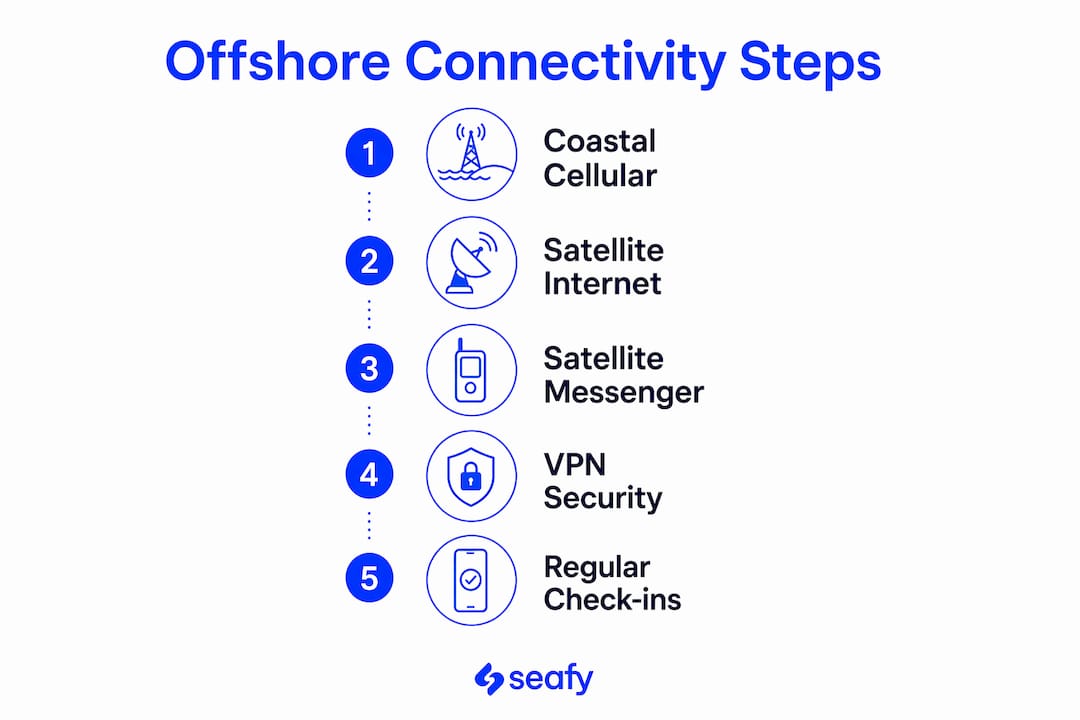
How to set up and optimize your onboard connectivity systems
A well-configured setup prevents most connectivity failures before they happen. Follow these steps to build a reliable system aboard your vessel.
- Mount hardware correctly. Place the Starlink Mini dish and marine cellular antenna at the highest practical point on the vessel. Height directly improves signal quality for both systems.
- Wire for DC power. Starlink Mini runs on 12V/24V DC and requires careful energy planning on longer passages. Calculate your daily power budget before departure and confirm your battery bank can sustain the load.
- Configure automatic failover. Marine routers switch automatically between marina Wi-Fi, cellular SIMs, and satellite. Set priority order so the system drops to the next available network without manual input.
- Distribute Wi-Fi onboard. Connect all devices through the router’s onboard network. This keeps every phone, laptop, and tablet on a single managed connection rather than competing for individual satellite bandwidth.
- Test everything in port. Run video calls, check failover switching, and confirm Garmin InReach messaging before you leave the dock. Discovering a configuration error at sea costs far more time and stress than testing it at the marina.
Pro Tip: Use a VPN offshore to protect passwords and banking details on any network, and to access home-country streaming services that may be geo-blocked when your IP address appears abroad.
For a broader look at what is available in 2026, the top onboard Wi-Fi solutions guide covers the leading hardware and service combinations worth considering.
What are the best practices for maintaining communication offshore?
Reliable connectivity requires discipline, not just good hardware. Set fixed check-in times with shore contacts every day. Consistent schedules mean that a missed check-in triggers a response quickly, which matters when conditions deteriorate fast.

When broadband drops, switch to Garmin InReach for text updates to your shore contact. Layering broadband satellite, satellite messenger, and VHF radio is the safest approach to offshore communication. A single system failure never leaves you completely without contact.
Crews must maintain disciplined communication protocols even when advanced technology is installed. Confusion during emergencies often comes from unclear roles, not equipment failure. Assign one person as the communications officer and document the protocol in writing before departure.
Common connectivity mistakes to avoid:
- Relying on a single system with no backup plan
- Skipping power budget calculations before a long passage
- Forgetting to test failover switching before leaving port
- Using public marina Wi-Fi without a VPN
- Neglecting scheduled check-ins during good weather when they feel unnecessary
- Leaving Garmin InReach subscription inactive to save money
For a step-by-step approach to secure onboard communication, Seafy’s guide covers encryption, VPN setup, and safe browsing practices at sea.
How do different offshore scenarios affect internet connectivity choices?
Your connectivity setup should match your actual situation. A coastal cruiser and a deep-ocean passage maker have very different needs.
Coastal cruising keeps you within 5–10 nautical miles of shore for much of the time. A marine 5G router with a high-gain antenna covers most of your connectivity needs at a lower cost than satellite. Starlink becomes the backup rather than the primary system.
Cruise ship and ferry passengers benefit from integrated satellite Wi-Fi built into the vessel. Cruise ships integrate Starlink for ship-wide high-speed internet, and passengers who purchase packages before departure get better pricing and immediate access from embarkation. Seafy partners with Corsica Ferries, Grimaldi Lines, and GNV to deliver this experience across Mediterranean routes.
Remote workers on private boats need a reliable, high-speed link for video conferencing and cloud applications. Starlink is the only realistic option for consistent performance beyond coastal range. Pair it with a VPN and a marine router for full productivity at sea. The role of satellite internet in supporting remote work onboard goes well beyond basic browsing.
Maritime professionals on rigs or commercial vessels prioritize redundancy above all else. Satellite internet enables real-time weather data and navigation updates that older systems could not deliver. Emergency communication via Garmin InReach or Iridium-based devices remains mandatory regardless of broadband availability.
| Scenario | Primary solution | Backup | Key priority |
|---|---|---|---|
| Coastal cruising | Marine 5G router | Starlink | Cost efficiency |
| Ferry/cruise passenger | Ship-integrated Starlink Wi-Fi | Cellular | Convenience |
| Remote worker, private boat | Starlink | Garmin InReach | Speed and reliability |
| Maritime professional | Starlink + redundant satellite | VHF + InReach | Redundancy and safety |
Pro Tip: Match your data plan to your actual usage pattern. A remote worker running daily video calls needs an unlimited Starlink plan. A coastal cruiser checking email needs far less.
Key Takeaways
Staying connected offshore requires a layered system of satellite internet, coastal cellular, and emergency messenger devices, with disciplined communication protocols to back it all up.
| Point | Details |
|---|---|
| Satellite internet is the standard | Starlink delivers 100Mbps+ globally, making it the go-to for deep-water broadband. |
| Layer your systems | Combine Starlink, marine 5G, and Garmin InReach to eliminate single points of failure. |
| Power planning is non-negotiable | Calculate your onboard energy budget before departure to keep satellite equipment running. |
| Communication discipline matters | Assign a communications officer and set fixed daily check-in times before leaving port. |
| Match your setup to your scenario | Coastal cruisers, ferry passengers, and offshore professionals each need a different solution. |
Offshore connectivity: what experience actually teaches you
I have watched sailors invest heavily in Starlink hardware and then anchor in a bay with a dead battery bank because nobody ran the power numbers. The technology is genuinely impressive. The gap is almost always in preparation, not in the equipment itself.
The most underestimated factor is still power. Managing the onboard power budget is as critical as the subscription cost for operating satellite equipment on longer voyages. Starlink Mini is efficient, but it runs continuously. On a 10-day passage, that adds up fast if your solar or alternator charging is not sized correctly.
Modern offshore connectivity is not optional. Experts now treat it as a critical safety measure comparable to essential gear like anchors. I agree completely. The ability to pull real-time weather data, send a position update, or trigger an SOS has changed what is survivable at sea.
My honest advice: do not abandon traditional tools when you install new ones. VHF radio, paper charts, and a Garmin InReach should stay active even when Starlink is working perfectly. The ocean does not care how good your hardware is on a calm day.
— Raffaele
Seafy: reliable Wi-Fi for your next voyage at sea
Staying connected at sea is straightforward when the vessel already has the infrastructure in place. Seafy provides high-speed Wi-Fi packages for passengers and crew across Mediterranean ferry routes, with partners including Corsica Ferries, Grimaldi Lines, and GNV.

You can purchase and activate your package directly through the Seafy onboard portal before or during your voyage. The platform supports streaming, remote work, and everyday browsing without requiring any technical setup on your part. Whether you are crossing the Mediterranean for a vacation or working remotely on a ferry, Seafy keeps you connected from the moment you board. ⚡
FAQ
What is the best way to get internet offshore?
Low Earth Orbit satellite systems like Starlink are the best option for deep-water internet, delivering speeds above 100Mbps globally. For coastal passages within 5–10 nautical miles of shore, a marine 5G router with a high-gain antenna is a cost-effective alternative.
How far offshore does cellular data work on a boat?
With a marine-grade external antenna and a cellular router, 5G coverage reaches approximately 5–10 nautical miles offshore. Standard phone cellular coverage drops off much sooner without that hardware.
Do I need a satellite messenger if I already have Starlink?
Yes. Heavy sea states and equipment failures can degrade or cut Starlink signals. A Garmin InReach provides guaranteed global messaging and SOS capability on the Iridium network as a backup that operates independently of your broadband system.
Can I work remotely from a ferry or cruise ship?
Ferry and cruise ship passengers can work remotely using ship-integrated Wi-Fi packages. Seafy offers onboard internet plans on Mediterranean ferry routes with Corsica Ferries, Grimaldi Lines, and GNV, supporting video calls and cloud applications throughout the voyage.
Why do I need a VPN when using Wi-Fi at sea?
A VPN encrypts your connection, protecting passwords and banking details from interception on shared or public networks. It also bypasses geo-restrictions that can block home-country streaming services when your IP address appears in a foreign location.