Tech & Wi-Fi
How to Manage Ferry Internet Packages on Board
Learn how to manage ferry internet packages for seamless connectivity. Get tips on selecting and activating Wi-Fi plans for a smooth sailing experience.
29 June 2026
How to Manage Ferry Internet Packages on Board
TL;DR:
- Managing ferry internet packages involves choosing the appropriate plan and activating it through onboard portals to stay connected. Seafy.com simplifies this process by providing easy access to Wi-Fi packages on Mediterranean routes with major ferry operators. Proper management and quick troubleshooting ensure a smooth sailing experience without unexpected data issues or disconnections.
Managing ferry internet packages means selecting the right connectivity plan, activating it through your vessel’s onboard portal, and monitoring your data so you stay connected from departure to arrival. Seafy.com is the reference platform for passengers on Mediterranean routes, offering easy access to Wi-Fi packages on ferries operated by Corsica Ferries, Grimaldi Lines, and GNV. Getting this right before you sail makes the difference between a productive crossing and a frustrating one.
How to manage ferry internet packages: what you need to know first
Ferry internet packages are onboard Wi-Fi plans that give you internet access for a set duration, a data limit, or an unlimited premium tier. Package types vary by ferry operator, so understanding the differences before you buy saves you money and frustration. A short crossing might only need a one-hour session pass. A 20-hour overnight route calls for a full-trip plan or an unlimited package if you plan to stream or work.
The technology behind these packages is more complex than a standard hotel Wi-Fi. Ferry connectivity relies on hybrid solutions combining GEO and LEO satellites, radiolinks, and cellular networks. That layered approach keeps you online even when the vessel moves far from shore. Providers like Eutelsat offer both GEO and LEO networks that complement each other to deliver resilient connectivity on any maritime vessel.
Here is a quick breakdown of the three main package types you will encounter:
- Duration-based packages: Access is timed, typically sold in 1-hour, 4-hour, or full-trip blocks. Good for light browsing and messaging.
- Data-capped packages: You get a fixed amount of data, often ranging from 500 MB to several GB. Suitable for email, maps, and moderate browsing.
- Unlimited premium packages: Higher cost, but no data cap. The right choice for video calls, remote work, or streaming.
Pro Tip: Check the package options before boarding. Some ferry operators, including those partnered with Seafy, let you pre-purchase Wi-Fi plans online, which often means faster activation once you are onboard.
How do you set up and activate your ferry internet package?
Activating your ferry Wi-Fi package takes less than five minutes when you know the steps. You need a device with Wi-Fi capability and a payment method, typically a credit or debit card.
- Connect to the onboard Wi-Fi network. Open your device’s Wi-Fi settings and select the ferry’s network. The name is usually displayed on signage in the passenger lounge.
- Open a browser and wait for the portal. Most ferry Wi-Fi systems redirect you automatically to a captive portal page. If nothing loads, type a simple URL like seafy.com to trigger the redirect.
- Browse available packages. The portal displays all current options with pricing and data limits. Seafy’s onboard portal lets passengers view and purchase packages directly from their phone, tablet, or laptop.
- Select your package and complete payment. Enter your card details and confirm the purchase. You receive an activation confirmation on screen or by email.
- Confirm your connection. Open a website or run a quick speed test to verify the package is active. If the page does not load, log out of the portal and log back in.
Keep your confirmation email or screenshot handy. If you switch devices mid-trip, you may need your login credentials to resume your session.
How do you monitor and manage your internet usage during the trip?

Tracking your data consumption prevents the unpleasant surprise of a dead connection halfway through your crossing. Most onboard portals, including Seafy’s, display your remaining data or session time after you log in. Check this dashboard every hour or two if you are on a data-capped plan.
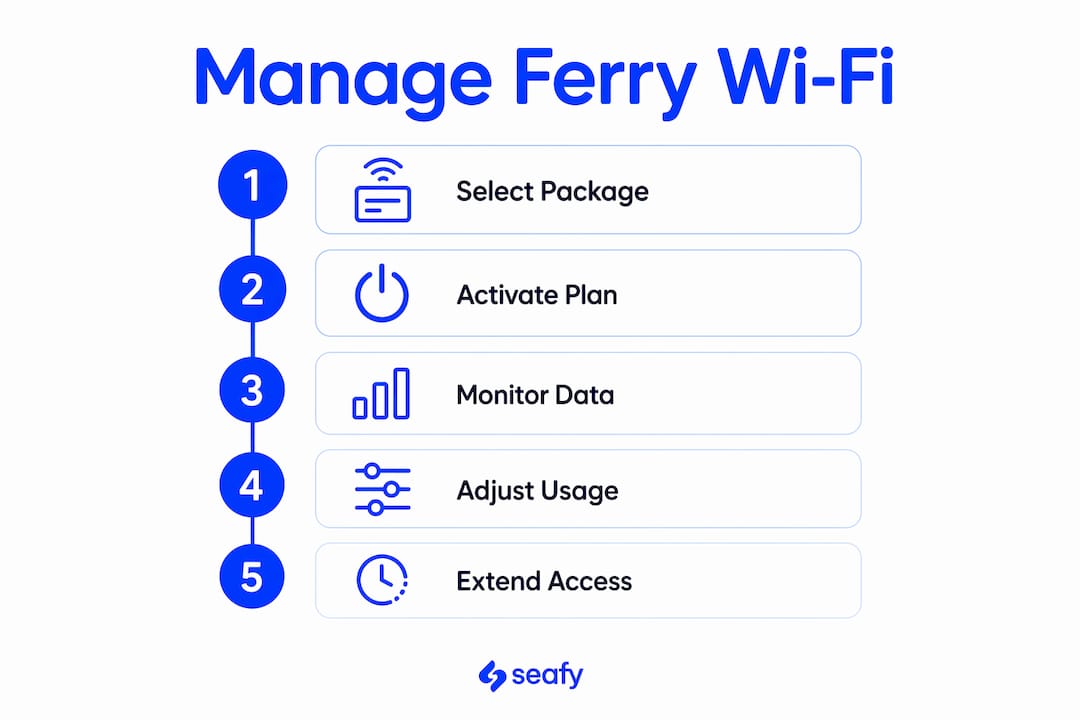
Dynamic bandwidth platforms allow passengers to upgrade or add data mid-trip when the provider supports it. That means you are not locked into your original choice if your needs change. If you bought a basic plan and then need to join a video call, upgrading through the portal takes only a few taps.
Managing your device settings is just as important as managing your plan. Background apps consume data silently, even when you are not actively using them.
- Turn off automatic updates on your phone and laptop before boarding. App stores and operating systems will download updates the moment they detect a connection.
- Pause cloud backups. Services like iCloud and Google Photos will try to sync automatically. Disable them for the duration of the trip.
- Avoid high-definition streaming. Dropping video quality from HD to standard definition cuts bandwidth use significantly.
- Use messaging apps instead of voice calls when possible. Text and voice messages use far less data than video calls.
Pro Tip: Put your phone in airplane mode, then re-enable Wi-Fi only. This stops cellular background processes from competing with your ferry Wi-Fi session and improves connection reliability noticeably.
Troubleshooting common ferry internet package issues
Connection problems on ferries fall into a few predictable categories. Knowing which one you are dealing with speeds up the fix.
- You cannot reach the portal. Disconnect from the Wi-Fi network, wait 30 seconds, and reconnect. Then open a browser and navigate to seafy.com to force the portal to load.
- Your session expired unexpectedly. Log back into the portal using your original credentials. Duration-based sessions sometimes time out after inactivity, even if your time has not fully elapsed.
- Payment failed during purchase. Check that your card supports international transactions. Some cards block maritime or travel-related charges by default. Try a different card or contact your bank.
- Speed is very slow. Move to a different area of the vessel. Thick metal walls and lower decks can weaken the Wi-Fi signal. Passenger lounges and open deck areas typically offer better reception.
- No connection despite an active package. Contact onboard crew or the ferry’s tech support desk. They can reset your session from the network side, which resolves most persistent issues.
Occasional coverage gaps are normal. Hybrid satellite solutions reduce but do not fully eliminate interruptions when vessels pass through areas with limited satellite coverage. Patience and a quick reconnect attempt usually resolve these gaps within minutes.
Key Takeaways
Passengers who understand their package options, activate correctly, and monitor usage stay connected throughout their crossing without wasted data or unexpected dropouts.
| Point | Details |
|---|---|
| Choose the right package type | Match duration-based, data-capped, or unlimited plans to your actual usage needs before buying. |
| Activate through the onboard portal | Connect to the ferry Wi-Fi, open a browser, and complete purchase via the captive portal or seafy.com. |
| Monitor data in real time | Check your remaining data or session time regularly through the portal dashboard to avoid running out. |
| Manage background apps | Disable auto-updates, cloud backups, and HD streaming to preserve your data allowance. |
| Troubleshoot with a reconnect first | Most connection issues resolve by disconnecting, waiting 30 seconds, and logging back into the portal. |
My honest take on ferry Wi-Fi after years at sea
I have spent a lot of time on Mediterranean ferries, and the single biggest mistake I see passengers make is buying the cheapest package without thinking about what they actually need. A 500 MB plan sounds fine until you realize your phone synced photos in the background and burned through half of it before you even opened a browser.
The second mistake is waiting until something goes wrong to read the instructions. The portal is straightforward, but every ferry system is slightly different. Spending two minutes exploring the portal right after you board saves you ten minutes of frustration later.
What genuinely impresses me about how Seafy handles this is the clarity of the package options and the speed of activation. On routes with Corsica Ferries and GNV, the portal loads quickly and the purchase flow is clean. That matters when you are standing in a noisy passenger lounge trying to get online before the ship leaves port.
My practical advice: pre-purchase when you can, put your phone in airplane mode with Wi-Fi only enabled, and check your data balance before you start a video call. Ferry connectivity has improved dramatically with Starlink integration, but you still get the best experience when you manage your plan actively rather than hoping it holds up.
— Raffaele
Seafy makes ferry Wi-Fi simple from the first connection
Staying connected at sea should not require a technical manual. Seafy offers a straightforward way to browse, purchase, and activate Wi-Fi packages on board ferries across the Mediterranean, including routes with Corsica Ferries, Grimaldi Lines, and GNV.

Whether you are traveling for leisure or working remotely, Seafy’s onboard portal gives you clear package options, fast activation, and real-time usage visibility. No guesswork, no hidden steps. Visit seafy.com before or during your next crossing to find the right plan and get online in minutes.
FAQ
What types of ferry internet packages are available?
Ferry internet packages come in three main types: duration-based, data-capped, and unlimited premium. Package options vary by operator, so check the onboard portal before purchasing.
Can you upgrade your ferry internet package mid-trip?
Yes, if the provider supports dynamic data allocation. Platforms with real-time usage monitoring let you add data or switch tiers directly through the onboard portal during your crossing.
Why does ferry Wi-Fi slow down or disconnect?
Ferry connectivity uses hybrid satellite and cellular networks, and speed can drop when the vessel moves into areas with limited coverage. Temporary slowdowns are normal; a quick reconnect through the portal usually restores your session.
How do I activate my package on Seafy?
Connect to the ferry’s Wi-Fi network, open a browser, and the portal will load automatically. Select your package, complete payment, and your connection activates within seconds.
How can I make my ferry internet data last longer?
Disable background app updates, pause cloud photo syncing, and avoid HD video streaming. Putting your device in airplane mode with Wi-Fi only enabled also stops cellular processes from consuming your data allowance.