Tech & Wi-Fi
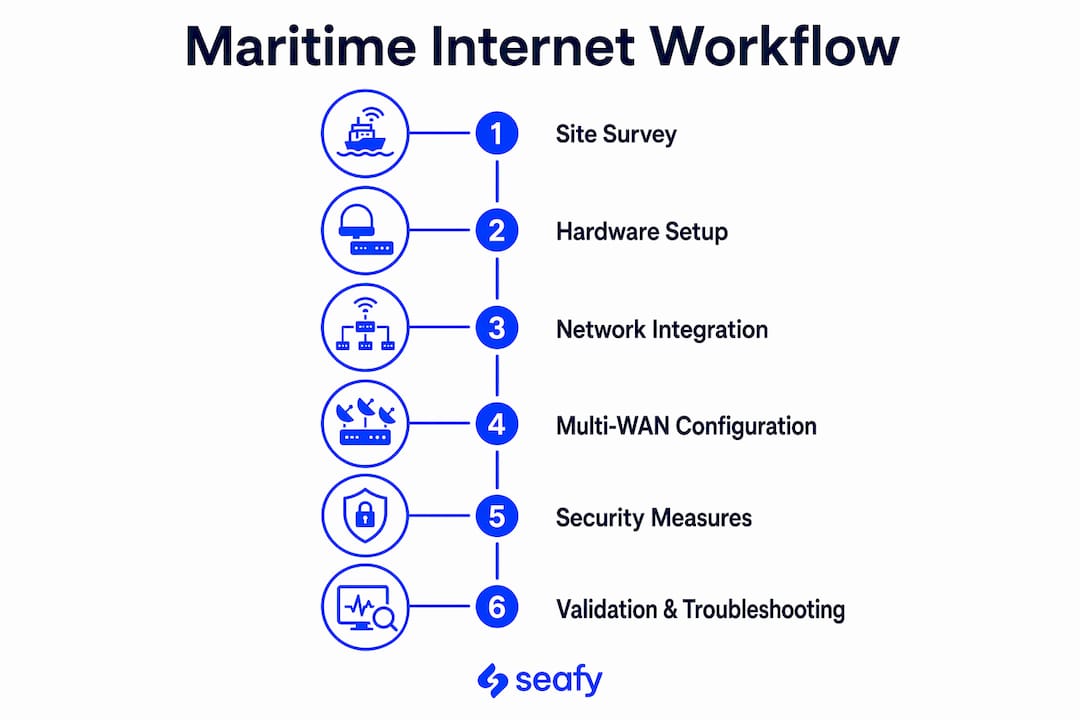
Workflow for Stable Maritime Internet: 2026 Guide
Discover the essential workflow for stable maritime internet in our 2026 guide. Ensure reliable connectivity at sea for work and crew welfare!
01 June 2026
Workflow for Stable Maritime Internet: 2026 Guide
TL;DR:
- A stable maritime internet workflow involves site surveys, proper hardware installation, multi-WAN failover, and security hardening to ensure continuous connectivity at sea. Proper planning, marine-grade equipment, and professional validation are crucial to prevent dropouts caused by poor setup rather than hardware deficiencies. Implementing network segmentation, automatic failover, and robust security practices significantly enhances reliability and safeguards operational systems on vessels.
A workflow for stable maritime internet is defined as the structured sequence of site surveys, hardware installation, network integration, and security hardening that produces uninterrupted connectivity on a vessel. Without this sequence, even premium satellite hardware like Starlink Maritime underperforms. Maritime professionals and remote workers who follow a disciplined process, covering antenna placement, multi-WAN failover, and network segmentation, achieve the kind of reliable internet at sea that supports video calls, operational systems, and crew welfare simultaneously.
What are the essential prerequisites for stable maritime internet?
Before a single cable is run, a thorough site survey determines whether your installation will succeed or fail. The antenna needs a clear sky view of at least 100 degrees to maintain a consistent satellite lock. Obstructions like masts, radar domes, and exhaust stacks are the most common culprits behind dropped connections, and they are entirely avoidable with proper pre-installation planning.
Equipment selection matters just as much as placement. Starlink offers three kit tiers suited to different vessel sizes and budgets:
- Starlink Mini: Entry-level option for smaller vessels or supplemental coverage
- Starlink Standard: Mid-range kit suited to recreational and light commercial use
- Starlink Maritime: Purpose-built for commercial and offshore applications with higher throughput
Equipment costs range from approximately $300 for a Starlink Mini to over $2,000 for Maritime-grade hardware, with monthly airtime plans ranging from $160 to $15,000 or more depending on data volume and service tier. That spread reflects the real difference between a weekend cruiser and a working vessel with 24/7 operational demands.
Marine-grade mounts, weatherproof cables, and sealed connectors are non-negotiable. Standard consumer-grade hardware degrades rapidly in salt air, vibration, and temperature swings. Plan your cable runs before installation day, mapping the path from antenna to modem with the fewest bends and the most protection from water ingress.
Pro Tip: Request a sky-view obstruction report from your antenna’s diagnostic app before finalizing the mount position. Moving the antenna 18 inches can sometimes eliminate a 30-degree obstruction that would otherwise cause daily dropouts.
| Equipment tier | Best use case |
|---|---|
| Starlink Mini | Small recreational vessels, backup link |
| Starlink Standard | Mid-size yachts, light commercial routes |
| Starlink Maritime | Commercial ships, offshore operations |
| Marine-grade router | Multi-WAN failover and network segmentation |
How to install and integrate maritime internet hardware for optimal performance?
Most connection failures at sea trace back to installation choices, not satellite link quality. A professional, disciplined process is what separates a stable system from one that drops out every time the vessel changes heading. On vessels between 35 and 60 feet, a full Starlink Maritime install takes four to six hours when done correctly, including validation steps.
Follow this sequence for hardware installation:
- Mount the antenna at the highest unobstructed point, using marine-grade stainless steel hardware. Confirm the mounting surface can handle wind load at cruising speed.
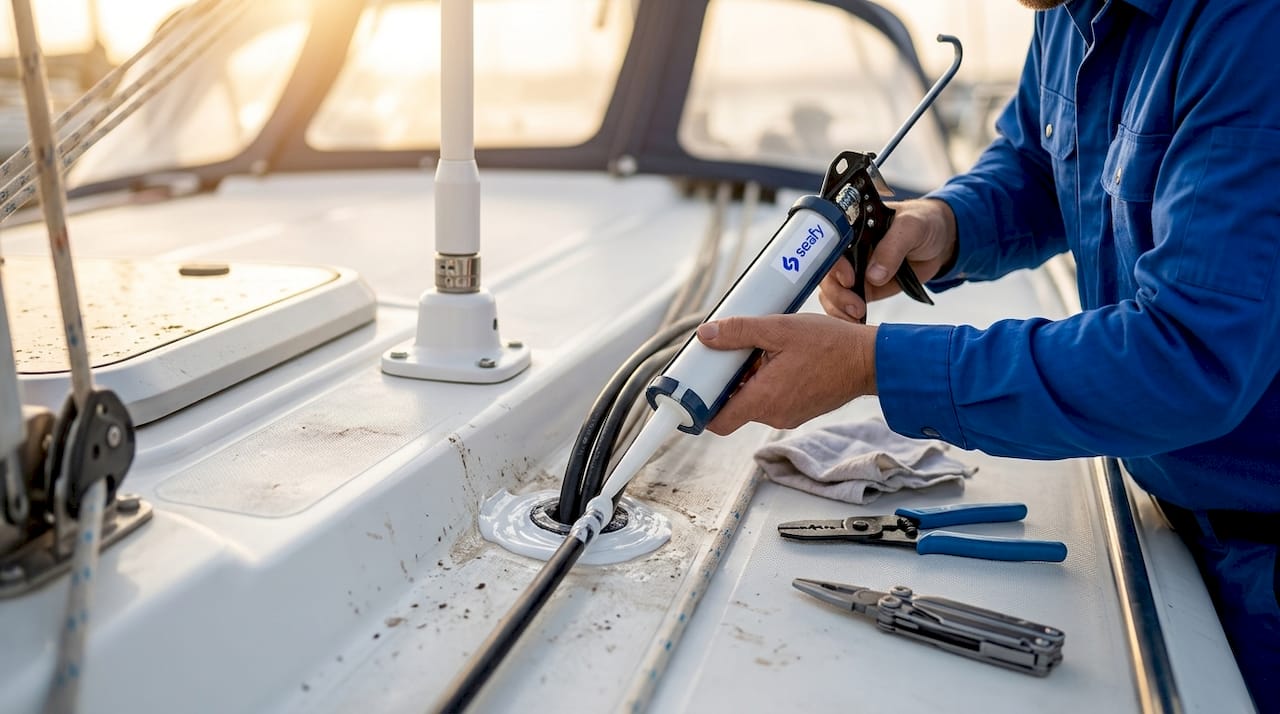
- Route cables through sealed conduit or cable trays, using marine-rated coaxial or Ethernet cable. Every penetration through a bulkhead or deck requires a waterproof gland.
- Integrate the modem and router into the vessel’s LAN at a dry, ventilated location. Label all connections clearly for future troubleshooting.
- Verify power supply compatibility. Starlink Maritime requires stable 12V or 48V DC depending on configuration. Use a dedicated circuit with appropriate fusing.
- Commission the system using the provider’s app or NOC portal, confirming signal lock and throughput before signing off.
Pro Tip: Never skip the provider’s commissioning checklist. Helm Marine technicians confirm connection quality with diagnostic telemetry before leaving the installation site, a step that prevents intermittent failures that are nearly impossible to diagnose remotely.
Antenna placement is validated with signal diagnostics and telemetry, not just a visual check. The diagnostic app shows sky-view coverage and flags obstructions in real time, giving you objective confirmation that the antenna position is correct.
How does multi-WAN connectivity enhance maritime internet stability?
A single satellite link is a single point of failure. The best practice for maritime internet solutions in 2026 is a hybrid architecture that combines satellite with cellular and, where available, terrestrial connections. This approach means that if Starlink experiences a brief outage or the vessel moves into a coverage gap, the network switches to a 4G or 5G cellular link automatically.
Automatic failover and failback without service interruption is the defining feature of a well-designed multi-WAN system. Solutions like Vodanet VMCS use intelligent routing and Quality of Service (QoS) policies to keep voice calls, operational technology (OT) systems, and crew internet running without competition for bandwidth.
Network segmentation is the other half of this equation:
- Operational network: Navigation, engine monitoring, and safety systems get highest priority and are isolated from all other traffic
- Crew network: Dedicated bandwidth allocation for welfare and communication
- Guest or passenger network: Separate SSID with bandwidth caps to prevent saturation
- Management network: Centralized NOC access for monitoring and policy updates
Network segmentation across IT, OT, crew, and guest networks combined with centralized policy controls ensures operational uptime and simplifies security compliance. This is not optional on commercial vessels. It is the architecture that keeps a cargo ship’s navigation systems running even when crew members are streaming video on the same physical infrastructure.
What security practices protect your maritime internet connection?
Poor Wi-Fi security causes connectivity problems that look exactly like hardware failures. A compromised network or an unauthorized device consuming bandwidth creates the same symptom as a weak satellite signal: slow speeds, dropped calls, and frustrated users. Network isolation and encryption are foundational to maintaining stable internet, not just a security checkbox.
Apply these practices across every vessel network:
- Use WPA3 encryption on all SSIDs, or WPA2 where WPA3 is not supported by older hardware
- Set strong, unique passwords for each network segment and rotate them on a defined schedule
- Disable SSID broadcasting on operational and management networks
- Apply firmware updates to routers, modems, and access points on a monthly cycle
- Block unauthorized devices using MAC address filtering or 802.1X authentication
Pro Tip: Install an offline-capable application like Canva Offline on crew and passenger devices. It buffers work locally and syncs automatically when the connection returns, maintaining productivity through short signal drops without any manual intervention.
For remote workers, the step-by-step guide to secure maritime internet covers network hardening in detail, including how to avoid rogue access points that can intercept traffic on shared vessel networks.
How do you validate and troubleshoot your maritime internet setup?
Testing is not a one-time event. Run validation checks immediately after installation, then repeat them after the first voyage to catch issues that only appear under real operating conditions.
- Run speed and latency tests from at least three locations on the vessel to identify dead zones and confirm coverage.
- Simulate a failover event by disabling the primary satellite link and confirming that cellular backup activates within the expected switching time.
- Review antenna telemetry using the diagnostic app to check sky-view percentage and obstruction reports. A sky-view score below 95% warrants repositioning.
- Check all cable seals and glands after the first heavy weather passage. Salt water intrusion at a single connector can degrade an entire cable run.
- Audit connected devices on each network segment to confirm no unauthorized devices have joined.
The most common mistakes are cable sealing failures at deck penetrations and misconfigured QoS policies that allow crew traffic to saturate the operational network. Both are preventable with the validation steps above. For ongoing remote work performance, the internet at sea for remote work guide covers workflow optimization beyond the technical setup.
Key takeaways
A stable maritime internet workflow requires professional site surveys, marine-grade hardware, multi-WAN failover architecture, and security hardening to deliver uninterrupted connectivity at sea.
| Point | Details |
|---|---|
| Site survey first | Confirm a 100-degree clear sky view before finalizing antenna placement. |
| Marine-grade hardware only | Consumer equipment degrades in salt air; use rated mounts, cables, and connectors. |
| Multi-WAN for resilience | Combine satellite and cellular with automatic failover to eliminate single points of failure. |
| Segment every network | Separate OT, crew, and guest traffic to protect operations and prevent bandwidth saturation. |
| Validate with telemetry | Use diagnostic apps to confirm signal quality and sky-view score before commissioning. |
Why the workflow matters more than the hardware
I have seen vessels with $10,000 satellite systems that drop out daily and smaller boats with modest Starlink Standard kits that stay connected through rough crossings. The difference is never the hardware. It is always the process.
The single biggest mistake I see in DIY installs is skipping the site survey and trusting a visual inspection of the antenna position. A mast that looks clear from deck level can block 20 degrees of sky view that the antenna needs for consistent lock. Diagnostic telemetry catches this in minutes. A visual check never does.
The second most common failure is treating security as separate from stability. When a rogue device joins the crew network and starts consuming bandwidth, the symptom is a slow, unreliable connection. The fix looks like a hardware problem. It is actually a policy problem. Network segmentation and WPA3 encryption solve it before it starts.
My honest recommendation: invest in a professional commissioning step even if you handle the physical installation yourself. Having a qualified technician validate signal quality, failover behavior, and network segmentation before the vessel departs saves far more time and money than troubleshooting at sea.
— Raffaele
Stay connected at sea with Seafy
Seafy makes onboard Wi-Fi simple for ferry passengers, crew members, and remote workers crossing the Mediterranean. Whether you are traveling with Corsica Ferries, Grimaldi Lines, or GNV, Seafy’s platform lets you purchase and activate a Wi-Fi package directly through the onboard portal, with no technical setup required on your end.

Seafy integrates with satellite technologies including Starlink to deliver stable, high-speed connectivity on routes where staying connected matters. From video calls to streaming to mission-critical work, the platform is built for the full range of onboard needs. Visit seafy.com to explore available packages and get online before your next departure. ⚡
FAQ
What is a workflow for stable maritime internet?
A stable maritime internet workflow is the structured process of site surveying, hardware installation, network integration with multi-WAN failover, and security hardening that produces reliable connectivity on a vessel. Skipping any step in this sequence is the leading cause of persistent connection problems at sea.
How long does a Starlink Maritime installation take?
A full Starlink Maritime install on a vessel between 35 and 60 feet takes approximately four to six hours, including all validation and commissioning steps. Rushing this process is the primary cause of intermittent failures after departure.
Why does my maritime internet keep dropping?
Most maritime internet dropouts trace back to poor antenna placement or cable sealing failures, not satellite link quality. Run a diagnostic telemetry check on sky-view percentage and inspect all deck penetrations for water ingress before assuming the hardware is faulty.
What is multi-WAN failover and why does it matter at sea?
Multi-WAN failover combines satellite and cellular connections so that if one link fails, the network switches to the backup automatically without interrupting active sessions. This architecture is the most effective way to maintain stable internet on vessels that move through varying coverage zones.
How do I secure my onboard Wi-Fi network?
Use WPA3 encryption on all SSIDs, segment operational, crew, and guest networks onto separate VLANs, and apply firmware updates monthly. Network isolation and strong passwords prevent unauthorized devices from consuming bandwidth and causing the slow speeds that are often misdiagnosed as hardware failures.