Tech & Wi-Fi
Smart internet tips for ferry and cruise crews
Discover essential crew internet usage best practices for smooth communication aboard ferries and cruise ships. Boost your connectivity now!
02 May 2026
Smart internet tips for ferry and cruise crews
TL;DR:
- Maintaining reliable onboard internet requires understanding ship infrastructure, optimal device placement, and disciplined usage habits.
- Team coordination and shared protocols help prevent network overloads, enhance security, and improve connectivity efficiency at sea.
Staying connected while working aboard a Mediterranean ferry or cruise ship sounds simple until you’re waiting for a critical file to upload from your cabin and the signal keeps dropping. Crew life means juggling communication demands, shift schedules, and shared bandwidth, all at once. The good news is that a few smart habits can make a real difference. This guide breaks down the most effective, proven strategies for getting the most out of onboard internet, whether you’re on a Grimaldi Lines vessel, a GNV ferry, or any other ship crossing the Mediterranean. 🌐
Table of Contents
- Understand your ship’s internet infrastructure
- Top five best practices for smarter internet use
- Where to connect: Comparing locations onboard
- Bandwidth budgeting and team coordination
- Common mistakes and how to avoid them
- A smarter crew approach: Beyond basic best practices
- Get better connected with Seafy
- Frequently asked questions
Key Takeaways
| Point | Details |
|---|---|
| Choose the right location | Upper decks and public areas give you the best Wi-Fi signal onboard. |
| Think bandwidth first | Using low-bandwidth apps and planning downloads saves data for the whole crew. |
| Coordinate as a team | Working together on internet usage helps everyone stay connected and productive. |
| Avoid common mistakes | Logging out and securing your device reduces risk and wasted bandwidth. |
| Shared habits boost results | Making best practices part of your crew’s culture achieves better connectivity than technology alone. |
Understand your ship’s internet infrastructure
With the challenge set, it’s essential to understand how shipboard internet actually works before you try to optimize anything.
Most modern vessels use a combination of satellite internet (like Starlink, which delivers high-speed broadband even in open waters), Wi-Fi hotspots distributed across the ship, and occasionally LTE (4G mobile data) when the ship is close to shore. Each of these has different speed and reliability characteristics. Satellite is your main workaround in open sea, while LTE can give you a quick, strong burst of connectivity near port.
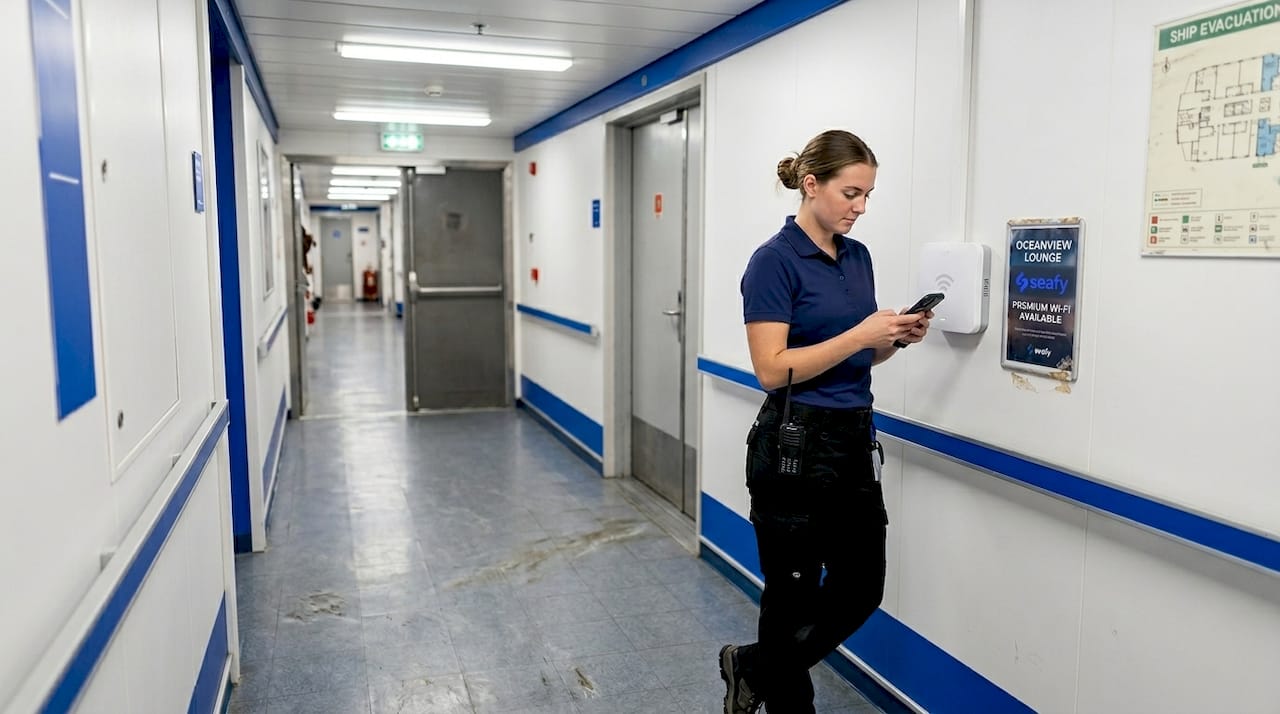
Where you physically stand on the ship matters just as much as which network you’re on. Improving wireless connectivity often comes down to proximity to access points. Access points are typically mounted in public areas and upper decks, so those zones give you the strongest signal. Steel bulkheads, engine rooms, and lower cargo decks all absorb and block wireless signals significantly.
“Position devices near Wi-Fi access points (upper decks, public areas) for stronger signal; avoid lower cabins.” — Cruise Critic
Key questions to ask your vessel’s IT or communications officer:
- Where are the Wi-Fi access points located on this ship?
- Are there dedicated crew network segments separate from passenger Wi-Fi?
- What satellite provider is the ship using, and are there scheduled maintenance windows?
- Is there a bandwidth priority system that favors critical ship operations?
Getting these answers on day one saves a lot of frustration later.
Top five best practices for smarter internet use
Once you know your ship’s internet landscape, you can focus on habits that make the biggest difference in day-to-day use.
Prioritizing low-bandwidth apps over streaming is one of the clearest recommendations coming from maritime connectivity experts. Here are the top five practices that make the biggest impact:
-
Use low-bandwidth apps first. Text-based messaging, email, and crew management platforms use a fraction of the data that video calls or streaming require. WhatsApp, Telegram, and email should be your defaults for daily communication.
-
Log off devices when you’re not actively using them. Many apps run background processes that consume data even when you think you’re offline. Closing apps completely and signing out of Wi-Fi when your session ends keeps the network cleaner for everyone.
-
Download materials during strong connection windows. If you know you’ll need a technical manual, a shift schedule, or a training video later, grab it while you have a solid signal, such as when you’re near port or on an upper deck during low-traffic hours.
-
Schedule large uploads and video calls for off-peak hours. Early morning or late night shifts often have lighter network load. If you can send a large file or join a video briefing at 0600 instead of 1200, you’ll notice a dramatic improvement.
-
Prioritize your security. Avoid uploading sensitive documents over public or unsecured networks. Learn more about safe internet at sea and always follow your ship’s protocols for secure maritime access.
Pro Tip: Turn off automatic app updates on your personal devices. A single app update can quietly use hundreds of megabytes of shared bandwidth without you noticing.
Where to connect: Comparing locations onboard
Knowing what to do is important, but where you connect often matters just as much when working at sea.
Positioning devices near Wi-Fi access points can mean the difference between a smooth video call and a dropped connection. Here’s a practical comparison of typical onboard locations:
| Location | Signal quality | Best for | Avoid for |
|---|---|---|---|
| Upper open decks | Excellent | Quick checks, messaging | Extended work sessions (weather) |
| Public lounges | Very good | Calls, downloads, remote work | Privacy-sensitive tasks |
| Crew mess / common areas | Good | Email, shift planning | Heavy uploads |
| Officers’ quarters | Moderate | Personal calls | Anything time-sensitive |
| Lower cabins | Weak to none | Nothing bandwidth-heavy | All tasks if possible |
| Engine/technical spaces | Very poor | Emergency use only | Regular use |
For improving ferry connections during time-sensitive moments, such as sending an urgent operational report, moving to a public lounge or upper deck will often resolve the problem faster than troubleshooting your device.
Pro Tip: Identify two or three reliable “go-to” spots on your ship during your first week. Knowing your best connection zones without thinking saves real time when work gets busy.
Bandwidth budgeting and team coordination
Individual habits alone aren’t enough. Effective teams know how to coordinate for everybody’s benefit.
85% of seafarers have regular internet access in 2025, up from 45% in 2020. That’s a massive increase in demand on shared networks. More connected crew members means smarter coordination is now essential, not optional.
Here’s a simple bandwidth-sharing framework teams can adopt:
- Set shared time slots for heavy tasks like software updates, large report uploads, or video conferences. Post a visible schedule in the crew area.
- Assign a bandwidth coordinator on each shift, usually the senior communications officer or IT contact, to monitor usage and flag issues.
- Use a basic tracking sheet to estimate which departments consume the most data, then rotate heavy-use slots fairly.
Consider how seamless internet at sea actually depends on collective behavior, not just infrastructure quality.
| Estimated bandwidth use by task | Data per hour |
|---|---|
| Text messaging (WhatsApp, Telegram) | Under 5 MB |
| Email with attachments | 10 to 50 MB |
| Video call (standard quality) | 300 to 600 MB |
| Streaming video (HD) | 1,500 to 3,000 MB |
| Software/OS update | 500 to 5,000 MB |
Sharing this kind of data with your crew in a simple chart removes guesswork and helps everyone make better decisions about what they run and when.
Common mistakes and how to avoid them
With best practices and teamwork in place, steer clear of frequent crew internet mistakes to keep performance high and your data safe.
The most damaging mistakes aren’t dramatic, they’re quiet and repeated daily. Here’s what to watch for:
- Leaving devices logged in and apps running. Background data drains bandwidth even when you’re asleep. Make logging out a part of your end-of-shift routine.
- Streaming or downloading large files during peak hours. This is the single fastest way to slow the entire ship’s network. Save heavy tasks for off-peak windows.
- Using unsecured or unverified public networks. This exposes your personal data and, potentially, ship operational data. Use your onboard internet checklist to stay organized and safe.
- Trying to work from known dead zones. If you know your cabin has no signal, don’t spend 20 minutes there waiting for a connection to appear. Move to a known strong spot immediately.
“Staying in a low-signal area and repeatedly trying to reconnect doesn’t just waste your time, it can also generate ‘noise’ on the network, making things worse for everyone nearby.” — Maritime IT best practice guidance
Small corrections to these habits, practiced consistently across a full crew, translate to noticeably faster, more reliable internet for everyone.
A smarter crew approach: Beyond basic best practices
After seeing what not to do, here’s a candid perspective on what really shifts the needle for internet use at sea.
We’ve seen ships invest in the latest satellite technology, Starlink upgrades, brand new access points, and still struggle with connectivity problems. The reason is almost always the same: the tech improved, but the behavior didn’t. Individual discipline with internet use is valuable. But when a whole crew practices it together, the effect multiplies.
The ships where connectivity genuinely works well aren’t necessarily the ones with the biggest bandwidth budgets. They’re the ones where a senior officer talked openly about internet etiquette during onboarding, where someone pinned a simple “peak hours” chart in the mess hall, and where crews checked in with each other about heavy downloads before launching them. That’s peer mentoring in action, and it costs nothing.
Consider the role of internet and crew safety more broadly. Reliable communication isn’t just about convenience, it supports emergency response, navigational updates, and medical coordination. When the network is clogged because someone is streaming a movie during a shift handover, the consequences can go beyond frustration.
A culture of shared responsibility, built from the ground up by the crew itself, will outperform any gadget upgrade. That’s the uncomfortable truth, and also the most empowering one.
Get better connected with Seafy
Ready to take your team’s internet game to the next level? Seafy makes it easier for ferry and cruise crews to stay connected, informed, and secure at sea. ⚡

Seafy’s crew connectivity solutions bring together expert guides, onboard checklists, and real-time support tools designed specifically for maritime teams. Whether you need step-by-step advice on bandwidth management, security protocols for your shift, or the latest news on satellite connectivity upgrades across Corsica Ferries, GNV, and Grimaldi Lines routes, Seafy is your go-to resource. Explore the full content hub today and give your crew the connectivity edge they deserve.
Frequently asked questions
Which apps use the least data for crew communications at sea?
Messaging apps like WhatsApp and Telegram use the least data, making them ideal for reliable crew coordination, as low-bandwidth messaging is consistently recommended over streaming for maritime use.
Where should I position my device for the best Wi-Fi signal on a ferry or cruise ship?
For the strongest signal, connect from upper decks or public areas near Wi-Fi access points, since devices near access points consistently outperform those in lower cabins.
How can our crew avoid overloading the ship’s network?
Schedule high-bandwidth activities for off-peak hours and use team coordination to space out heavy data tasks, keeping the network clear for everyone during busy periods.
What security steps should crew take when using onboard Wi-Fi?
Always use strong passwords, sign out when done, and avoid accessing sensitive data on public or unsecured networks to protect both personal and operational information.