Tech & Wi-Fi
Wi-Fi coverage zones on ferries and cruises explained
Wondering what are Wi-Fi coverage zones on ferries and cruises? Learn how to connect better and enjoy smooth internet on the water!
12 May 2026
Wi-Fi coverage zones on ferries and cruises explained
TL;DR:
- Wi-Fi coverage aboard ships consists of various zones with fluctuating signal quality influenced by satellite strength, geography, and passenger demand. Understanding the layout and factors affecting zones helps travelers optimize connectivity for work and leisure but does not guarantee uniform service. Planning ahead, selecting strategic locations, and managing expectations can improve the onboard internet experience.
You step onto a ferry or cruise ship, connect to the onboard Wi-Fi, and assume the whole vessel is your oyster for streaming, video calls, and scrolling. That assumption catches many travelers off guard. The reality is that Wi-Fi coverage aboard ships is not a uniform blanket of signal from bow to stern. It is a patchwork of zones, access points, and satellite connections that each behave differently depending on where you are standing and what is happening around you. Understanding how coverage zones actually work gives you the power to plan smarter, connect better, and stay frustration-free on the water. 🌐
Table of Contents
- What are Wi-Fi coverage zones?
- How ship Wi-Fi zones work in practice
- What affects Wi-Fi quality within coverage zones?
- Are all ship Wi-Fi coverage zones equal?
- Tips for getting the most from Wi-Fi coverage zones
- Why the idea of Wi-Fi coverage zones is both useful and misleading
- Experience better Wi-Fi on your next ferry or cruise
- Frequently asked questions
Key Takeaways
| Point | Details |
|---|---|
| Wi-Fi coverage zones vary | Coverage zones on ships do not guarantee identical performance everywhere on board. |
| Environment impacts connectivity | Satellite quality, ship structure, and user demand can affect your connection at sea. |
| Practical tips help optimize access | Selecting strong-signal spots and following expert advice improve your chances of reliable internet. |
| Set realistic expectations | Knowing the limitations and variables of ship Wi-Fi prevents frustration during your voyage. |
What are Wi-Fi coverage zones?
A Wi-Fi coverage zone is simply a defined area aboard a ship where internet connectivity is actively offered. Think of it like the coverage map of a mobile carrier, except the “towers” are onboard access points and the backbone is a satellite link rather than ground infrastructure.
On most ferries and cruise ships, the operator sets up multiple access points across different decks and areas. Each access point projects a bubble of Wi-Fi signal. When these bubbles overlap, you get relatively seamless coverage. When they do not, you may experience dead spots or sudden drops in speed.
Here is a quick breakdown of the main factors that shape zone quality:
- Satellite signal strength: The quality of the connection between the ship’s satellite dish and the orbiting satellite (or constellation, in the case of Starlink) is the single biggest variable.
- Geography: Ships traveling through open sea often get stronger, more consistent satellite contact than those near coastlines with terrain interference.
- Time of day: More passengers online at once means shared bandwidth, which slows things down for everyone.
- Weather conditions: Heavy rain, storms, and thick cloud cover can degrade satellite signal noticeably.
- Physical obstacles: Metal walls, machinery rooms, and structural steel aboard ship absorb and scatter radio signals.
| Factor | Effect on Wi-Fi zone quality |
|---|---|
| Satellite alignment | Strong signal = faster speeds |
| Passenger demand | High demand = slower speeds |
| Weather | Storms = possible drops |
| Ship structure | Dense materials = weaker signal |
| Geography | Open sea = more stable link |
As Wi-Fi on Mediterranean ferries shows, even on routes with good satellite coverage, local variables still shape what you experience. Royal Caribbean notes that Wi-Fi is available “wherever you are onboard” once authenticated, yet actual performance can vary by satellite signal quality, geography, and demand.
“Coverage is available throughout the ship, but the experience you get depends on a combination of technology, environment, and how many people are online at the same moment.”
How ship Wi-Fi zones work in practice
Now that we have outlined the concept, let us look at how these zones function daily aboard ferries and cruise ships.
Most operators install a network of wireless access points spread across the vessel. These access points are all connected back to a central router, which in turn sends data through a satellite dish mounted on the ship’s exterior. When you connect your device, it latches onto the nearest access point, much like your phone connects to the nearest cell tower on land.
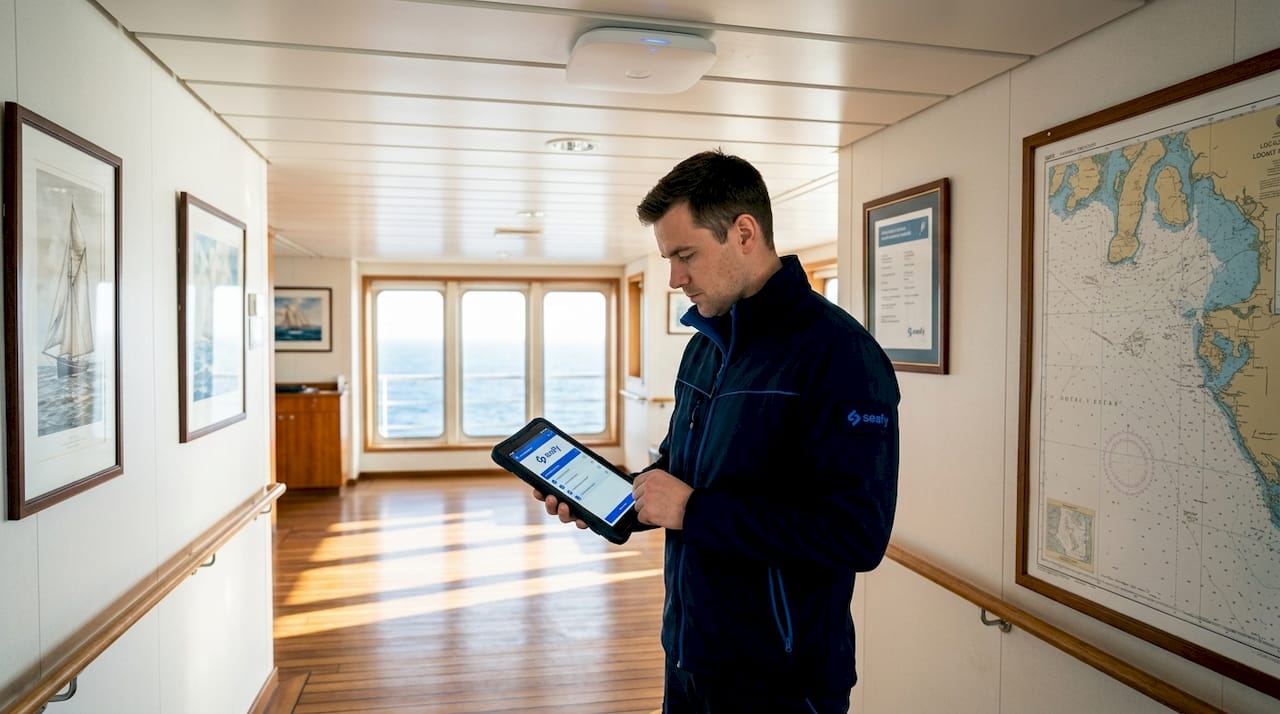
The problem is that ships are not designed around Wi-Fi. They are built for safety, stability, and passenger comfort. That means thick walls, reinforced bulkheads, and many layers of metal between you and the nearest access point. As Royal Caribbean confirms, guests can expect connection in staterooms and public areas, but speeds can vary based on network demand and environment.
Here is a typical experience comparison across common ship areas:
| Location | Typical signal strength | Notes |
|---|---|---|
| Main lounges and restaurants | Strong | Near central access points |
| Outer deck areas | Moderate to strong | Good line of sight to satellite |
| Staterooms (mid-ship) | Moderate | Walls reduce signal slightly |
| Staterooms (bow or stern) | Variable | Farther from access points |
| Below-deck areas | Weak to variable | Heavy shielding from structure |
Here is how connectivity typically plays out on a busy sailing day:
- Morning: Moderate speeds, low passenger demand, good for video calls.
- Mid-afternoon: High demand as passengers settle in; speeds drop noticeably.
- Evening: Peak usage for streaming and social media; slowest period on most ships.
- Late night: Demand drops, speeds often recover.
Pro Tip: If you need a reliable connection for work or a video call, try logging on early in the morning or after midnight. Demand is lowest then, and satellite conditions tend to be favorable.
Exploring onboard Wi-Fi solutions and understanding cruise connectivity hotspots can also help you identify the best spots on your specific vessel before you even board.
What affects Wi-Fi quality within coverage zones?
Why do some spots on a ship feel fast while others drag? Here is what really shapes the experience within a Wi-Fi coverage zone.
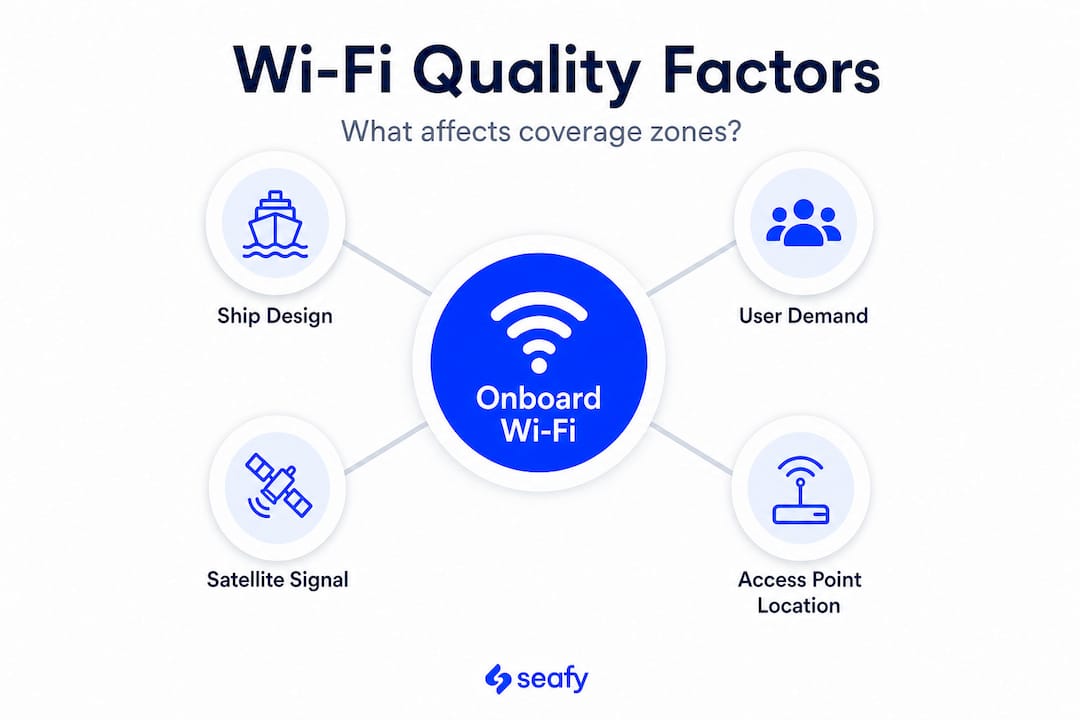
The satellite connection is the backbone of everything. Even if your ship has dozens of perfectly placed access points, a weak or misaligned satellite link limits what everyone on board can receive. Modern systems using technology like Starlink (a constellation of low-Earth orbit satellites) have dramatically improved reliability at sea, but they are still subject to physical constraints.
Key factors that fragment coverage quality within a zone include:
- Ship positioning: When the vessel turns or lists, the satellite dish needs to reposition. This brief adjustment can cause momentary drops.
- Weather interference: Connectivity may be weakened by weather and satellite placement, with speeds varying by location and operator.
- Structural interference: Cabins deep inside the hull, especially on lower decks, sit far from both access points and the satellite dish, creating naturally weaker zones.
- User load: Every additional user streaming video takes a slice of the shared satellite bandwidth.
Understanding Wi-Fi at sea challenges and what makes reliable nautical Wi-Fi possible helps you set realistic expectations and plan accordingly.
Pro Tip: If your signal feels sluggish in your cabin, walk to the main deck lounge or an open deck area. You will often notice an immediate improvement simply by being closer to an access point and away from dense metal walls.
Are all ship Wi-Fi coverage zones equal?
Understanding the variables, let us see how equality across ship Wi-Fi coverage zones is more myth than reality.
The short answer is no. Not all coverage zones offer equally reliable service. Operators often market the ship as having a single, unified Wi-Fi network, which is technically true at the infrastructure level. But in practice, physical barriers and satellite geometry fragment that network into areas of stronger and weaker performance.
As The Points Guy notes, “some cruise lines market broad onboard availability, but coverage quality is really a story of ‘zone’ performance, based on satellite limits, line-of-sight, and regional coverage.”
Here is what this means practically for you as a passenger:
- High-traffic public areas (main restaurants, lounges, atrium spaces) tend to have the most access points and therefore the most consistent coverage.
- Outdoor decks and pool areas benefit from direct line of sight to the satellite dish and often perform well during off-peak hours.
- Interior staterooms on lower decks can be genuinely challenging, particularly on older ships with less modern Wi-Fi infrastructure.
- Bow and stern cabins sit far from the center of the network and are among the zones most prone to fluctuations.
Before you settle in at a spot to work or stream, it pays to do a quick speed check using a browser-based test. Spend five minutes exploring two or three different seating areas. You may find that moving ten meters to a different table makes a significant difference. Also, learning about ship Wi-Fi operations and Wi-Fi sea vs land will help you approach expectations more realistically.
Tips for getting the most from Wi-Fi coverage zones
With these differences in mind, here is how you can make the most of whatever Wi-Fi coverage zone you find yourself in.
Guests can roam the ship with connection intact, but actual usability hinges on knowing strong-signal areas and using practical strategies to optimize speed.
- Position yourself strategically. Sit near the center of the ship and in public spaces where access points are densest. Avoid deep interior cabins or the lowest decks for important tasks.
- Download content in advance. Before you board, download your playlists, episodes, and documents. If connectivity drops mid-route, you will still have entertainment and files ready to go.
- Restart your device or toggle airplane mode. This forces your device to reconnect and potentially pick up a stronger nearby access point rather than clinging to a distant one.
- Avoid peak hours for critical tasks. Schedule video calls and large uploads for early morning or late evening when demand is low.
- Limit background apps. Turn off automatic cloud backups and streaming apps running in the background. They quietly consume bandwidth and slow your experience.
- Choose a higher-tier plan if you need reliability. Basic packages often throttle speeds or limit access during busy periods. A premium plan gives you priority access to available bandwidth.
Understanding the Wi-Fi travel impact and the clear ferry Wi-Fi benefits makes it easier to invest in the right plan before departure rather than troubleshooting onboard.
Pro Tip: Ask the crew which areas of the ship are known for the best signal. Staff who spend long voyages on board often know exactly where the Wi-Fi sweet spots are, and they are usually happy to share that insider knowledge. ⚡
Why the idea of Wi-Fi coverage zones is both useful and misleading
Now that we have explored practical tips, let us zoom out and challenge how coverage zones really shape expectations aboard.
At Seafy, we think the concept of a “coverage zone” is genuinely helpful for passengers. It gives you a mental map of connectivity and reduces the anxiety of wondering whether the internet will work. But the term can also create overconfidence, which leads to frustration when reality does not match the promise.
Here is the uncomfortable truth: no operator can guarantee a uniform experience across a ship. Satellite physics, weather, and passenger demand are variables that no amount of infrastructure investment can fully eliminate. Even ships equipped with the most advanced satellite technology still experience fluctuations.
Experienced maritime travelers treat their onboard connection as a helpful tool rather than a guaranteed utility. They plan for interruptions. They download content before boarding. They build downtime activities that do not require an internet connection. And when connectivity is good, they take full advantage of it for work, calls, and streaming.
The smartest mindset is this: approach shipboard Wi-Fi like you would approach remote connectivity advice for any challenging environment. Understand what variables are outside your control, optimize what is within your control, and stay flexible. That approach turns a potentially frustrating experience into a genuinely productive and enjoyable one.
Coverage zones are a map, not a promise. Use them as a guide, not a guarantee.
Experience better Wi-Fi on your next ferry or cruise
With a better understanding of Wi-Fi coverage zones, you now have the tools to plan a smarter, more connected voyage. Whether you are traveling for leisure or keeping up with work while crossing the Mediterranean, reliable internet can make all the difference.

Seafy makes it easy to take the next step. Through our platform, you can explore Wi-Fi at sea solutions designed specifically for ferry and cruise passengers, with packages built around real onboard conditions. Ready to book and activate your connection before you even board? Head to our buy ferry Wi-Fi page to browse available plans across our partner ferry lines, including Corsica Ferries, Grimaldi Lines, and GNV. Connectivity at sea has never been more accessible. Buon surf con Seafy! 🌐
Frequently asked questions
Can I use Wi-Fi anywhere on a cruise ship after I sign in?
Most cruise lines let you use Wi-Fi throughout the ship once you sign in, but coverage and speed vary depending on your exact location and how many passengers are online at the same time.
Why does my Wi-Fi connection sometimes drop or slow down while at sea?
Drops and slow speeds are typically caused by satellite signal issues or bad weather, and as connectivity may be weakened by satellite placement, your position on the ship also plays a role.
Are some areas of the ship better for Wi-Fi than others?
Yes, open public areas and central lounges near access points tend to offer stronger signals, because Wi-Fi performance varies significantly with physical location and the internal structure of the ship.
Does weather affect Wi-Fi zones on ferries and cruises?
Absolutely. Storms and heavy seas can disrupt the satellite link that powers the whole network, since satellite connectivity may be weakened by adverse weather, reducing speeds and reliability for all passengers onboard.