Tech & Wi-Fi
Starlink Maritime: Fast Internet for Mediterranean Cruises
Discover what is Starlink Maritime and how it revolutionizes fast internet for Mediterranean cruises. Stay connected at sea!
10 May 2026
Starlink Maritime: Fast Internet for Mediterranean Cruises
TL;DR:
- Starlink Maritime uses low Earth orbit satellites to provide faster, lower-latency internet at sea compared to traditional geostationary systems. Most passengers experience shared, shipwide connectivity through a Community Gateway, which varies in speed based on demand, not individual guarantees. Although the technology offers significant improvements, real-world speeds depend on onboard infrastructure and passenger load, making proper planning essential.
You board your ferry in Barcelona or step onto a cruise ship in Naples, and the first thing you do is look for Wi-Fi. That is completely normal. But what you find at sea can feel like a step back in time: slow connections, high prices, and spotty coverage just when you need it most. Starlink Maritime is changing that picture fast, and if you are cruising or hopping ferries across the Mediterranean, you need to know exactly what this technology offers, what it does not, and how to get the best experience possible. 🌐
Table of Contents
- What is Starlink Maritime and how does it work?
- How Starlink Maritime compares to traditional satellite internet
- Community Gateway vs. individual terminals: What passengers should know
- Limitations, reliability, and key changes for mariners in 2026
- The reality Starlink Maritime delivers (and what most don’t realize)
- Explore better internet at sea with Seafy
- Frequently asked questions
Key Takeaways
| Point | Details |
|---|---|
| Starlink enables high-speed internet | Ships equipped with Starlink offer much faster internet than traditional satellites but performance can still vary. |
| Sharing impacts your speeds | Community Gateway means bandwidth is split among all users onboard, often lowering your top speed. |
| Expect technology to evolve | Starlink features and reliability change rapidly, so travelers should check for updates before sailing. |
| Plan for busy periods | Streaming and video calls may slow down during peak usage times, so schedule your online needs accordingly. |
What is Starlink Maritime and how does it work?
Starlink Maritime is SpaceX’s satellite internet service designed specifically for vessels at sea. Unlike older satellite systems, it uses a network of low Earth orbit (LEO) satellites, meaning the satellites orbit much closer to the planet than traditional ones. That shorter distance translates to faster speeds and lower latency (the delay between your device sending a request and receiving a response).
Here is what makes Starlink Maritime different from a regular home Starlink setup:
- Purpose-built hardware: The maritime dish is ruggedized for ocean conditions, handling waves, salt air, and temperature swings.
- Continuous tracking: The antenna automatically tracks satellites as your ship moves, keeping the connection active.
- High aggregate throughput: On large ships, multiple dishes or a Community Gateway system can be installed to handle thousands of users simultaneously.
For most cruise and ferry passengers, the key setup they will encounter is the Starlink Community Gateway. This is a shipwide installation where Starlink’s capacity is pooled for everyone onboard, rather than a single dish serving just one cabin or one user. Passengers connect through the ship’s existing Wi-Fi network, which is then backhauled to Starlink’s satellite constellation.
“Starlink deployments on cruise ships are often implemented as a shipwide Starlink Community Gateway rather than a single passenger dish, enabling high aggregate throughput.” Royal Caribbean’s Star of the Seas is a strong example: up to 10Gbps of symmetrical throughput has been reported for the entire vessel.
If you want to understand more about how all of this fits into reliable nautical Wi-Fi, it is worth exploring the broader picture of maritime connectivity before you set sail.
How Starlink Maritime compares to traditional satellite internet
Traditional maritime internet used geostationary (GEO) satellites, which orbit roughly 35,000 kilometers above Earth. That enormous distance introduced significant latency, often 600 milliseconds or more each way. For context, a solid land-based broadband connection typically runs under 20 milliseconds. GEO connections also offered limited bandwidth, meaning ships full of passengers faced slow, expensive, and frustrating internet access.
Starlink’s LEO satellites orbit at around 550 kilometers. The result is dramatically lower latency and far more bandwidth available per ship. Here is a quick comparison:
| Feature | Traditional GEO satellite | Starlink Maritime (LEO) |
|---|---|---|
| Latency | 600+ ms | 20 to 60 ms |
| Typical ship speed | 1 to 20 Mbps shared | Hundreds of Mbps to 10 Gbps |
| Weather sensitivity | High | Moderate |
| Cost for operators | High | Lower per Mbps |
| Passenger experience | Often poor | Significantly improved |
That said, the real-world experience is more nuanced. While the theoretical ceiling is impressive, actual speeds vary considerably. PCMag notes that despite Starlink access, some Royal Caribbean passengers reported relatively slow speeds of around 10 Mbps, likely because connectivity is shared across the ship. That is still a step up from older systems, but it is a reminder that peak numbers rarely reflect what individual users see during busy periods.
Key factors that affect your actual speed include:
- Number of passengers online: Peak hours (evenings, port departures, and arrivals) will slow things down for everyone.
- Onboard network infrastructure: Even with a fast satellite link, the ship’s internal Wi-Fi routers and cabling matter.
- Your location on the ship: Being far from a Wi-Fi access point on a large vessel can reduce your signal quality.
Exploring the best onboard Wi-Fi solutions and understanding the factors impacting internet speeds at sea can help you pick the right package for your needs.
Community Gateway vs. individual terminals: What passengers should know
There are two main ways Starlink Maritime shows up in practice, and knowing the difference helps you set the right expectations before you book.
1. Starlink Community Gateway (shared, shipwide) This is what most cruise and ferry passengers will experience. The ship installs one or more high-capacity gateway dishes. Everyone onboard, from thousands of passengers to the entire crew, shares that bandwidth pool. Speeds fluctuate based on demand.
2. Individual Starlink Maritime terminal (private) This is designed for private yachts, small vessels, or commercial operators who want dedicated bandwidth just for their boat. It is far more expensive, but it offers predictable, consistent speeds because you are not sharing with hundreds of strangers.
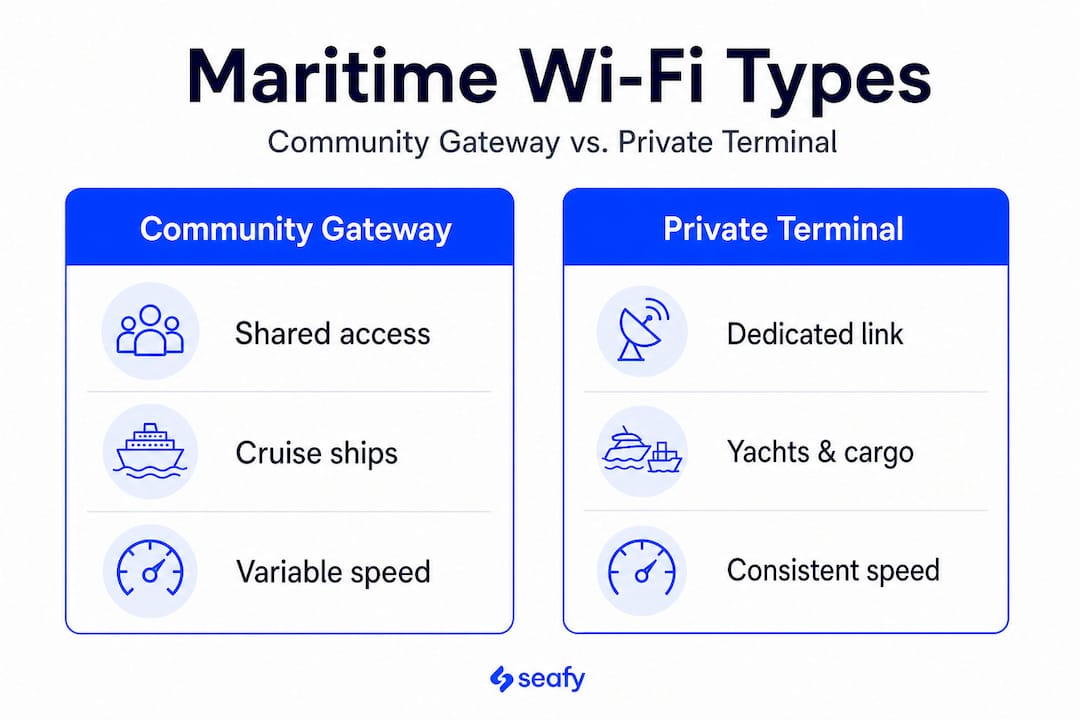
Here is a summary of what you can typically expect:
| Setup | Who uses it | Speed predictability | Cost to user |
|---|---|---|---|
| Community Gateway | Cruise and ferry passengers | Variable (high demand = slower) | Included in ship Wi-Fi packages |
| Individual terminal | Private yacht / small vessel | High (dedicated) | Very high |
Understanding satellite internet’s role onboard can give you a clearer picture of why high-speed internet on ferries is now considered a baseline expectation rather than a luxury.
For Mediterranean leisure travelers, the honest answer is: you will almost always be on a Community Gateway setup. That means your experience depends heavily on how many people are online at the same time.
- Download your entertainment (shows, podcasts, playlists) before you board so you are not relying on streaming during peak hours.
- Plan your bandwidth-heavy tasks (video calls, large file uploads) for early mornings when fewer passengers are online.
- Check with your ferry or cruise line in advance to confirm Starlink availability on your specific route and vessel.
- Consider purchasing a premium onboard Wi-Fi package if you need consistent speeds for remote work.
Pro Tip: On most large cruise ships, the hours between 6 a.m. and 8 a.m. local time are the quietest for internet use. If you have a video call for work or need to upload files, that window is your best bet for fast, stable speeds.
Limitations, reliability, and key changes for mariners in 2026
While Starlink has genuinely improved the at-sea internet experience, it is not without its challenges. Understanding these will help you plan smarter, whether you are a leisure traveler or a remote worker crossing the Mediterranean. ⚡
Key limitations to keep in mind:
- Weather interference: Heavy rain and storms can temporarily degrade Starlink signal quality, though LEO systems handle this better than older GEO satellites.
- Network congestion: As more ships adopt Starlink, shared bandwidth pools may face increased pressure, especially on popular routes during summer season.
- Geopolitical and regulatory constraints: Starlink availability can be restricted in certain territorial waters or port areas depending on local regulations.
There is also a significant development worth knowing about in 2026. Starlink previously offered a location data feature that some maritime operators used as a supplementary reference alongside traditional GPS systems. This was particularly useful in regions where GPS jamming or spoofing is a known concern. However, PCMag reports that SpaceX is shutting down this location data feature, and maritime users are alarmed because it could previously serve as a backup to GPS.
“Maritime users are concerned because the location data could be used as a backup to GPS.” This change highlights the importance of not over-relying on any single connectivity solution at sea.
For privacy and security, travelers should also be aware that public ship networks carry the same risks as any shared Wi-Fi. Using a VPN (a virtual private network, which encrypts your connection) is a smart habit. For those relying on connectivity for remote work efficiency at sea, following reliable ferry internet tips can make a real difference in your productivity and peace of mind.
The reality Starlink Maritime delivers (and what most don’t realize)
Here is something most articles on Starlink Maritime won’t tell you plainly: the headline numbers are real, but your experience as an individual passenger on a shared cruise network probably won’t match them. A vessel capable of delivering 10Gbps total sounds extraordinary, and it is. But divide that across 3,000 passengers all streaming, scrolling, and video calling at once, and your share is suddenly much more modest.
What Starlink genuinely delivers is a massive upgrade in baseline quality. Calls that dropped constantly on older GEO systems now connect more reliably. Pages load in seconds instead of minutes. Video calls are choppy far less often. That is a meaningful improvement for your vacation or your workday at sea.

The mistake most travelers make is assuming “Starlink on this ship” means the same experience as their home fiber connection. It does not. The expectation gap causes frustration that a little bit of preparation can eliminate entirely.
The travelers who get the most out of maritime internet are not the ones who expect it to mirror land-based performance. They are the ones who understand it is a shared resource, plan their online habits around it, and use why seamless internet at sea matters as a framework for making smart choices before and during their voyage.
Explore better internet at sea with Seafy
Knowing what Starlink Maritime offers is the first step. Getting the right Wi-Fi plan for your Mediterranean journey is the next one.

Seafy works directly with major ferry operators, including Corsica Ferries, Grimaldi Lines, and GNV, to bring passengers straightforward, reliable Wi-Fi on board options backed by the latest satellite technology. Whether you are hopping between islands for leisure or staying connected for remote work, Seafy’s platform makes it easy to browse packages, activate your connection, and enjoy your crossing without worrying about connectivity. Discover why onboard internet matters and find the plan that works for your next trip. Buon surf con Seafy! 🌐
Frequently asked questions
Is Starlink Maritime available on all Mediterranean cruises?
No, not every cruise or ferry offers Starlink. Availability varies by ship, route, and operator, so it is worth checking with your provider before boarding.
How fast is Starlink Maritime internet for cruise passengers?
Some ships can reach up to 10Gbps total throughput for the vessel, but individual passengers on shared networks may see speeds as low as 10 Mbps during peak periods.
Can I use my own Starlink terminal on a cruise ship?
Most large cruise liners do not permit personal Starlink terminals onboard. Passengers connect through the ship’s own shared network instead.
Does Starlink Maritime always provide a reliable backup for ship navigation?
No. A recent update means SpaceX is shutting down a location feature that mariners previously used as a GPS backup, so passengers and operators should not rely on Starlink for navigation purposes.