Tech & Wi-Fi
Managed maritime Wi-Fi: reliable internet at sea
Discover the benefits of managed maritime Wi-Fi for seamless internet at sea. Experience faster speeds and reliable connections on your journeys!
29 April 2026
Managed maritime Wi-Fi: reliable internet at sea
TL;DR:
- Modern managed maritime Wi-Fi offers speeds between 50 to 200 Mbps, enabling streaming and remote work.
- It provides wide coverage across ships with intelligent traffic management and failover systems.
- Travelers should manage expectations, prepare offline backups, and use onboard support for optimal experience.
Shipboard internet used to mean frustrating lag, pixelated video calls, and emails that refused to send. That reputation is now outdated. Modern managed maritime Wi-Fi, powered by advanced satellite systems like Starlink, delivers 50-200 Mbps download speeds on many cruise and ferry routes today. Whether you’re crossing the Mediterranean on a Grimaldi Lines ferry or sailing with a major cruise line, the experience has genuinely changed. This article covers what managed maritime Wi-Fi is, why it works better than older systems, what limitations still exist, and how you can squeeze every bit of performance out of your connection onboard. 🌐
Table of Contents
- What is managed maritime Wi-Fi?
- Core benefits for cruise and ferry passengers
- Common challenges and how managed Wi-Fi addresses them
- How to get the most from managed Wi-Fi on your trip
- Our take: the real value and limits of managed maritime Wi-Fi
- Stay connected with Seafy: your onboard Wi-Fi solution
- Frequently asked questions
Key Takeaways
| Point | Details |
|---|---|
| Reliable connectivity | Managed maritime Wi-Fi enables consistent internet access for passengers throughout their voyage. |
| Supports remote work | Speeds and coverage allow for streaming, video calls, and professional tasks while at sea. |
| Mitigates maritime challenges | Advanced management addresses congestion, weather, and blackouts to maintain service. |
| Practical usage tips | Passengers can maximize performance by planning usage, managing devices, and keeping offline backups. |
What is managed maritime Wi-Fi?
With speeds now rivaling city hotels, it’s worth understanding what actually makes this possible. Managed maritime Wi-Fi is not simply a satellite dish on a deck. It’s a coordinated system of hardware, software, and network management tools that work together to deliver stable internet across an entire ship.
Here’s what a typical managed system includes:
- Satellite uplinks: Multiple satellite connections, often combining Starlink’s low-Earth orbit (LEO) satellites with traditional geostationary (GEO) satellites, provide the raw bandwidth.
- Local access points: A network of Wi-Fi antennas and routers distributed throughout cabins, dining areas, and public decks ensures signal reaches every corner of the ship.
- Cloud-based network management: Software monitors traffic in real time, balances loads across access points, and prioritizes critical connections over background activity.
- Hybrid failover systems: If one satellite link weakens, traffic automatically shifts to a backup connection, keeping your session alive.
What sets managed Wi-Fi apart from older, unmanaged systems is this intelligent layer of control. In the past, a ship might have had a single satellite connection shared by thousands of passengers with no traffic shaping at all. The result was crawling speeds for everyone. A managed system controls how bandwidth is allocated so that streaming video doesn’t choke out a passenger trying to send a work email.
It’s also worth noting the honest caveat: as one leading guide puts it, this is “decent hotel Wi-Fi,” not home fiber. You can learn more about the maritime Wi-Fi basics to understand the full technical picture before your trip.
Core benefits for cruise and ferry passengers
Now that you understand how managed maritime Wi-Fi works, let’s focus on what it actually delivers for you as a passenger.
Speed that supports real tasks
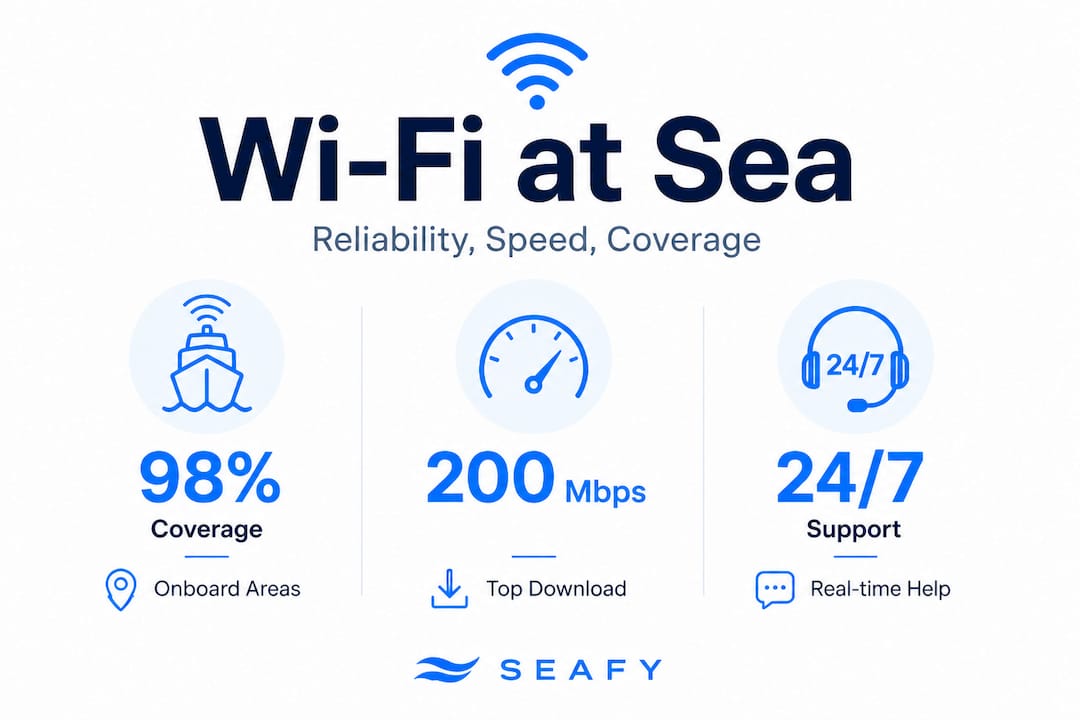
The numbers are genuinely impressive. On Starlink-equipped ships, real-world testing shows download speeds of 50 to 200 Mbps and upload speeds of 10 to 25 Mbps. Here’s a quick look at what those speeds make possible:
| Task | Minimum speed needed | Managed maritime Wi-Fi |
|---|---|---|
| Netflix HD streaming | 5 Mbps | ✅ Fully supported |
| Zoom video call | 3-5 Mbps | ✅ Fully supported |
| Social media uploads | 2-10 Mbps | ✅ Fully supported |
| Cloud file collaboration | 10-25 Mbps | ✅ Generally supported |
| 4K video streaming | 25+ Mbps | ⚡ Possible at good times |
These speeds make a real difference for how Wi-Fi impacts ferry travel by turning what used to be disconnected journeys into productive or entertaining ones.
Wide coverage across the ship
Modern managed systems place access points strategically throughout the vessel. You’re not limited to the lounge or the upper deck. Coverage typically reaches:
- Private cabins and staterooms
- Restaurant and dining areas
- Pool decks and outdoor spaces
- Conference rooms and business lounges
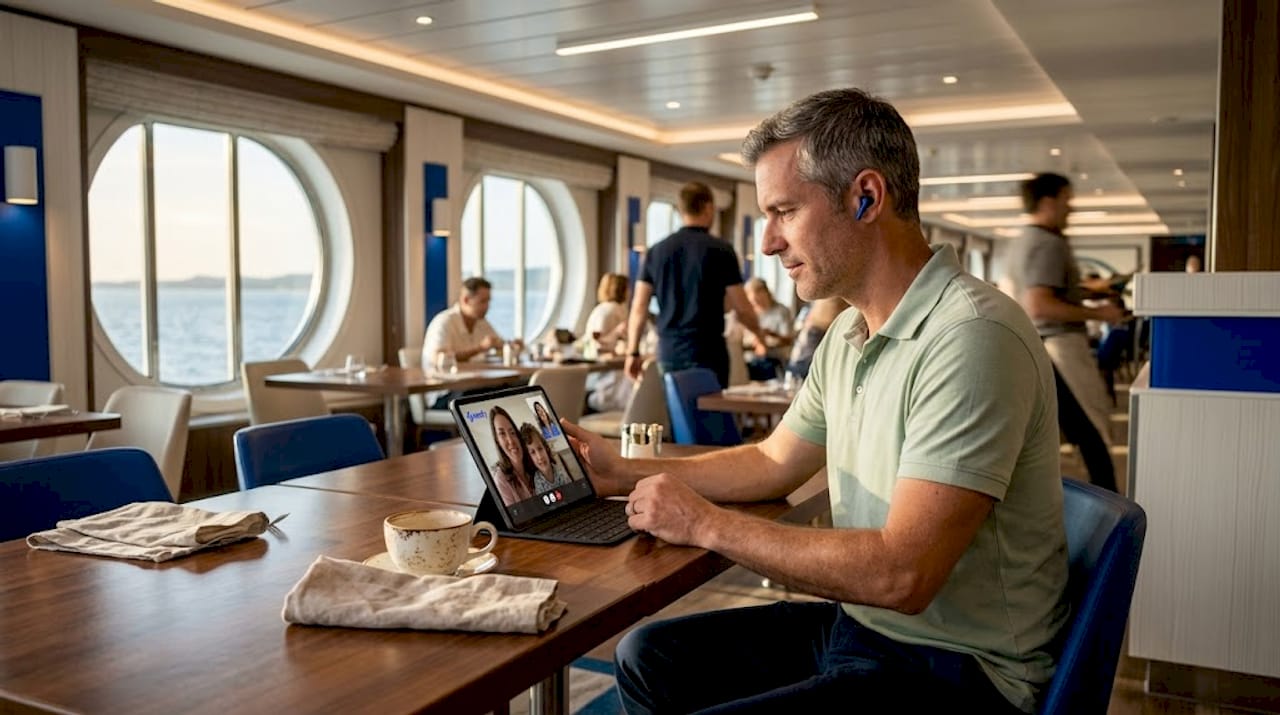
This wide reach matters enormously if you’re traveling for remote work at sea. You can move from your cabin to the restaurant to the deck and stay connected throughout.
Congestion management
One of the biggest upgrades managed Wi-Fi brings is traffic prioritization. Instead of all passengers sharing a single pipe equally, the system recognizes different types of traffic and allocates bandwidth intelligently. Video streaming gets enough bandwidth to stay smooth. Background app updates don’t crowd out your video call.
Pro Tip: If you’re a remote worker, check out the Wi-Fi benefits for remote workers guide for specific strategies on staying productive at sea.
Common challenges and how managed Wi-Fi addresses them
Even the best managed system faces real-world obstacles at sea. Here’s an honest look at the challenges and how managed Wi-Fi handles them.
What can still affect your connection
As cruise industry experts note, several edge cases can temporarily reduce speeds:
- Peak hour congestion: When most passengers are awake and using Wi-Fi simultaneously, typically after dinner or during sea days, speeds can dip noticeably. Managed systems help, but they can’t create bandwidth from nothing.
- Weather interference: Heavy rain, storms, or thick cloud cover can weaken satellite signals. Low-Earth orbit satellites like Starlink are less affected than older GEO satellites, but disruptions still happen.
- Regulatory blackouts: Some territorial waters restrict satellite internet use. Exclusive Economic Zones (EEZs) in certain countries may require ships to switch to restricted connections temporarily.
- Geographic blocking: Narrow fjords, mountain ranges near coastal routes, and similar terrain can physically block satellite line-of-sight.
How managed systems respond
| Challenge | Unmanaged Wi-Fi | Managed Wi-Fi |
|---|---|---|
| Peak congestion | Speeds crash for all users | Traffic shaping maintains priority services |
| Satellite signal loss | Full outage | Automatic failover to backup satellite |
| Weather interference | No mitigation | Hybrid LEO/GEO switching reduces impact |
| Coverage gaps | Persistent dead zones | Access point placement minimizes gaps |
The role of Wi-Fi in ship operations goes beyond passenger convenience. Ship staff also rely on these networks for navigation support and safety systems, which is another reason operators invest in robust managed solutions.
“Speeds drop during peak hours and sea days, and weather interference or regulatory blackouts can create gaps. Hybrid satellite technology mitigates most of these issues.” — The Points Guy, cruise ship internet guide
You can also explore how satellite internet onboard works in depth, and why sea vs land Wi-Fi is a genuinely different technical challenge.
How to get the most from managed Wi-Fi on your trip
Managing obstacles and harnessing Wi-Fi’s strengths calls for practical strategies. Here’s how you get the best experience possible.
Optimize your device before boarding:
- Turn off automatic app updates and cloud backup syncing. These background processes eat bandwidth quietly.
- Pre-download Netflix shows, Spotify playlists, or work documents you’ll definitely need.
- Use lightweight versions of apps (for example, Gmail’s mobile site instead of the full app) to reduce data usage.
Choose your timing wisely:
- Early mornings and late nights have far fewer users online, which translates to faster speeds.
- Sea days tend to bring the heaviest usage. Schedule your important video calls and uploads for port days when some passengers are ashore.
Prepare offline backups for critical work:
- As the best cruise ship Wi-Fi guide recommends, always have offline versions of any documents or presentations you cannot afford to lose access to. Even excellent managed Wi-Fi can experience short outages.
- Download video conferencing apps like Zoom or Microsoft Teams ahead of departure so you’re not downloading them on ship bandwidth.
Use onboard support:
- Most ships with managed Wi-Fi have a help desk or onboard tech team. If your connection is consistently slow in your cabin, report it. They can check whether an access point near you needs adjustment.
Pro Tip: Check out the best onboard Wi-Fi solutions guide to compare what different ferry and cruise services offer before you book your trip.
Our take: the real value and limits of managed maritime Wi-Fi
Having covered the practical strategies, here’s our deeper perspective on what managed maritime Wi-Fi actually means for travelers today.
The technology has genuinely closed most of the connectivity gap that made sea travel feel isolating for anyone needing to stay connected. For streaming, casual browsing, social media, and even most remote work tasks, modern managed Wi-Fi on Mediterranean ferries and cruise ships is genuinely good. It’s not a marketing claim. It’s a measurable shift driven by LEO satellite technology and intelligent network management.
But here’s the view that most travel guides skip: the biggest mistakes passengers make are about expectations, not the technology itself. People who get frustrated with onboard Wi-Fi are usually the ones who expected fiber-at-home speeds on a ship crossing open water. That’s not a fair comparison, and it’s not how you should frame your trip planning.
The honest position, backed by real-world testing, is that managed maritime Wi-Fi is reliable enough for entertainment and communication, decent for light remote work, and occasionally limited by factors outside anyone’s control. When you approach it that way, it rarely disappoints.
Our standing advice: always carry offline alternatives for anything critical. Download what you need. Set realistic expectations. Then enjoy the fact that you can video call your family from the middle of the Mediterranean, which was genuinely impossible not long ago. Explore what reliable internet at sea looks like in practice to set yourself up for a smooth trip. ⚡
Stay connected with Seafy: your onboard Wi-Fi solution
You’ve seen the real capabilities and limits of managed maritime Wi-Fi. Now here’s how to actually get it working for you on your next voyage. Seafy provides managed Wi-Fi solutions specifically designed for cruise and ferry passengers across the Mediterranean, partnering with major lines including Corsica Ferries, Grimaldi Lines, and GNV.

Seafy’s platform integrates Starlink and advanced satellite technology into an easy-to-use onboard portal where you can purchase and activate a Wi-Fi package in minutes. No complicated setup. No surprises. Whether you want to stream movies during a night crossing or stay on top of work emails during a multi-day cruise, you can get Wi-Fi onboard quickly and easily. For a deeper look at what’s available in 2026, explore the best Wi-Fi options and find the package that fits your travel style. Happy surfing! 🌐
Frequently asked questions
How fast is managed maritime Wi-Fi on Mediterranean cruises?
On Starlink-equipped ships, typical speeds range from 50 to 200 Mbps download and 10 to 25 Mbps upload, which comfortably supports Netflix streaming and Zoom calls.
Can I work remotely with managed maritime Wi-Fi?
Most ships provide reliable enough connectivity for emails, messaging, and video calls. As one expert guide notes, you should still prepare offline backups for any truly critical work tasks.
Are there areas or times when Wi-Fi connectivity drops?
Yes. Speeds can dip during peak usage hours, heavy weather, or when sailing through territorial waters with regulatory restrictions on satellite internet.
Is managed maritime Wi-Fi secure for passengers?
Managed Wi-Fi systems use strong encryption protocols and active network monitoring to protect passenger data, making them significantly more secure than unmanaged public hotspots you might encounter on land.