Tech & Wi-Fi
Fix ferry Wi-Fi issues fast with this guide
Quickly fix your Wi-Fi on the ferry with our guide! Master troubleshooting ferry Wi-Fi connectivity and enhance your travel experience.
30 April 2026
Fix ferry Wi-Fi issues fast with this guide
TL;DR:
- Ferry Wi-Fi faces unique challenges such as metal obstructions and satellite signal disruptions.
- Troubleshooting involves simple steps like reconnecting, moving location, and reducing device load.
- Effective resolution relies on passenger cooperation and clear communication with crew and technical support.
You’re in the middle of an important video call, the Mediterranean gliding past your porthole, and suddenly your connection drops. Or maybe you’ve been streaming your favorite show in your cabin for an hour when the video freezes and refuses to load. Losing Wi-Fi on a ferry is frustrating, but it doesn’t have to ruin your trip. Whether you’re a vacationer, a remote worker, or a crew member depending on internet access for daily operations, this step-by-step guide covers the most common causes, practical fixes, and smart strategies to get you back online fast. 🌐
Table of Contents
- Common causes of Wi-Fi issues on ferries
- Essential tools and information for troubleshooting
- Step-by-step troubleshooting process
- What to do when problems persist
- The overlooked reality of ferry Wi-Fi: It’s a team effort
- Experience seamless ferry Wi-Fi with Seafy
- Frequently asked questions
Key Takeaways
| Point | Details |
|---|---|
| Know common causes | Physical obstructions and high user numbers are frequent sources of Wi-Fi issues on ferries. |
| Prepare before troubleshooting | Gather device information, login credentials, and checklists for a faster resolution. |
| Follow step-by-step fixes | A systematic approach, from reconnecting to contacting support, maximizes your chance of restoring Internet access. |
| Work with crew for solutions | Seeking crew assistance and providing detailed info can help address longer-term or technical problems at sea. |
Common causes of Wi-Fi issues on ferries
Understanding the root causes of Wi-Fi connectivity issues helps you troubleshoot more accurately.
Ferry Wi-Fi operates in a genuinely challenging environment. Unlike home networks or hotel rooms, ferries sit on open water, move constantly, and are built from thick steel hulls that disrupt Wi-Fi signals in ways you simply don’t experience on land. Getting familiar with these unique factors puts you in a much stronger position to solve problems quickly.
Here are the most common culprits behind ferry Wi-Fi problems:
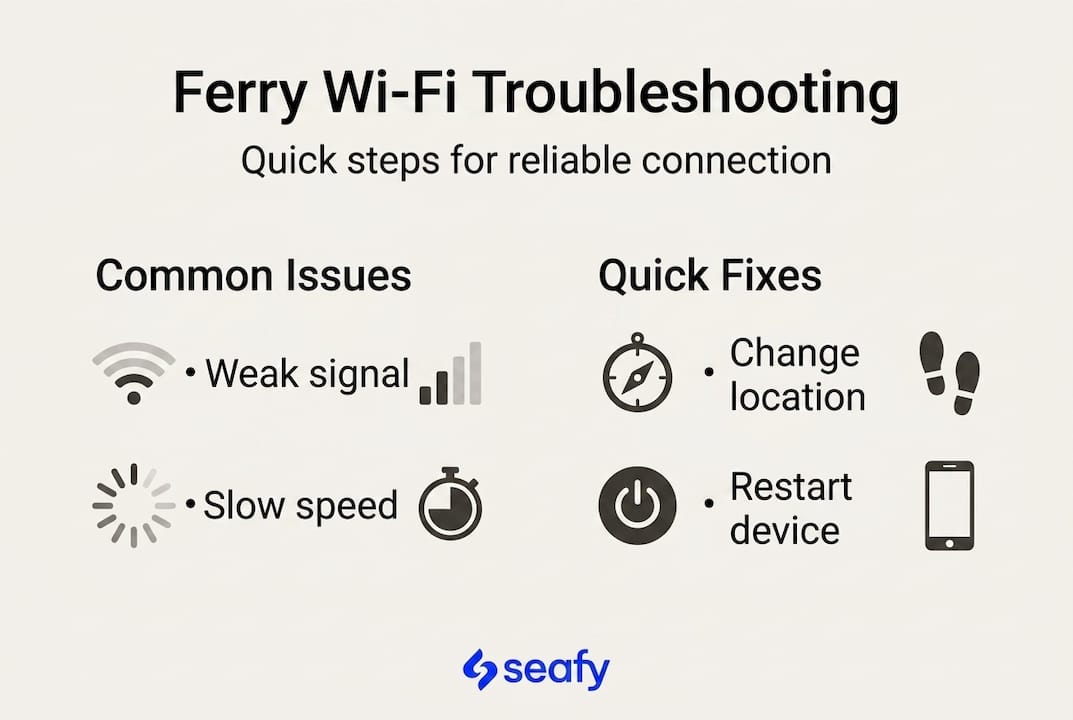
- Signal obstruction: Metal bulkheads, steel decks, and dense passenger areas all block and weaken wireless signals. Moving from a cabin on a lower deck to an open lounge area can make a noticeable difference.
- Bandwidth overload: When hundreds of passengers are all streaming, uploading, and video calling at the same time, shared bandwidth gets stretched thin. Understanding why high-speed internet matters on ferries makes clear why dedicated capacity is so important.
- Satellite signal interruptions: Ferry Wi-Fi often relies on satellite connections. Weather changes, rough seas, or vessel positioning relative to the satellite can cause brief outages.
- Outdated access point equipment: Some older vessels still run legacy Wi-Fi hardware that simply cannot handle modern data demands.
- Passenger volume spikes: Boarding periods and meal times tend to flood the network with new connections simultaneously.
Here’s a quick reference to help you connect a symptom to a likely cause:
| Cause | Symptom | First fix |
|---|---|---|
| Metal obstruction | Weak signal in cabin | Move to open deck or lounge |
| Bandwidth overload | Slow speeds, buffering | Limit devices, avoid peak hours |
| Satellite interruption | Complete dropout | Wait 5 minutes and reconnect |
| Equipment limitation | Frequent disconnects | Try a different access point |
| High passenger volume | Login portal not loading | Restart device and retry |
One useful fact to keep in mind: even modern satellite systems like Starlink occasionally experience brief interruptions during heavy weather or specific orbital windows. It’s a natural part of operating at sea, not necessarily a sign that something is broken.
Essential tools and information for troubleshooting
With the causes in mind, gather your tools and information before starting any troubleshooting.
Walking into a troubleshooting session unprepared wastes time and adds frustration. Before you start clicking through settings or wandering the ship looking for a better signal, take two minutes to collect what you actually need. Having the correct login credentials and device settings in place is crucial for seamless internet access onboard.
Here’s what to check before you start:
- Login credentials: Your Wi-Fi package activation code, username, or email used at purchase. Keep these written down or saved offline.
- Device compatibility: Confirm your device supports the frequency band being offered (2.4 GHz vs. 5 GHz). Some older phones cannot connect to 5 GHz networks.
- Support contact: Find the crew support number or onboard helpdesk location before you need it.
- Current package status: Verify your data plan hasn’t expired or been depleted. Many connection issues are simply empty packages.
- Software updates: A pending operating system update can cause unexpected Wi-Fi behavior. Install updates before you board.
Using the ferry Wi-Fi checklist before and during your journey can save significant time and stress.
| Tool or detail | Essential | Optional |
|---|---|---|
| Login credentials | ✅ Yes | |
| Device with updated OS | ✅ Yes | |
| Crew support contact | ✅ Yes | |
| Screenshot of purchase confirmation | ✅ Yes | |
| Personal mobile hotspot | ✅ Backup only | |
| Offline entertainment (downloaded files) | ✅ Recommended |
Pro Tip: Before you board, download any files, maps, shows, or documents you’ll need during the journey. Offline access removes the pressure of depending entirely on a live connection, especially during long crossings.
Step-by-step troubleshooting process
Once prepared, follow these practical steps to resolve your Wi-Fi connectivity issues.
Reconnecting to the Wi-Fi portal and resetting your device resolves a large percentage of onboard issues before you ever need to involve the crew. Work through these steps in order, from simplest to more involved.
- Disconnect and reconnect. Forget the Wi-Fi network on your device, then search for it again and reconnect. This clears any stale connection data.
- Clear the browser cache. If you access Wi-Fi through a portal (called a captive portal), an outdated cache can prevent the login page from loading. Clear your browser history and try again.
- Restart your device. A full device restart, not just a screen off, refreshes your network adapter and clears temporary errors.
- Switch frequency bands. If the network offers both 2.4 GHz and 5 GHz options, try the other band. The 5 GHz band is faster but has a shorter range. The 2.4 GHz band travels further through walls.
- Reduce connected devices. If you have a phone, tablet, and laptop all connected, disconnect two of them. Each active device draws bandwidth.
- Change your physical location. Move closer to known access points, typically in lounges, restaurant areas, or upper open decks. Even 10 meters can change your signal quality significantly.
- Check your package status. Log into your Wi-Fi portal account and confirm your data allowance hasn’t been used up. Purchase an extension if needed.
- Try a different browser. Sometimes the captive portal only loads correctly in certain browsers. Try switching from Chrome to Safari or Firefox.
For more strategies, check the best practices for reliable ferry internet and Wi-Fi connection onboard troubleshooting resources.
Pro Tip: If you’ve worked through steps 1 through 6 and nothing has changed, that’s the right time to contact the crew. Be specific: tell them which network name you’re seeing, what error message appears, and which steps you already tried. This speeds up their diagnosis significantly. ⚡
Important: Never attempt to reset or adjust any shared router, access point, or network hardware on the vessel. These systems serve all passengers on board, and interfering with them can disconnect everyone. Only trained crew members should handle shared network equipment.
What to do when problems persist
If you’ve tried all the steps and Wi-Fi is still down, here’s how to escalate or find temporary solutions.

Sometimes the issue is simply outside your control. A satellite outage, a hardware failure in the ship’s network room, or a scheduled maintenance window can’t be resolved from your seat. That doesn’t mean you’re stuck. Persistent disruptions may require contacting technical staff or exploring the alternative Wi-Fi solutions a ferry operator provides.
Here are your next moves when basic troubleshooting hasn’t worked:
- Ask the crew about scheduled outages. Some ferries perform brief network maintenance during specific hours. Knowing the timeline helps you plan.
- Request a different access point zone. Crew members often know which areas of the ship have the strongest signal at any given time.
- Check for a secondary network. Some vessels offer a separate guest network alongside a premium service. Ask if an alternative network is available.
- Use a personal mobile data hotspot. If you’re near a coast or in a port area, your mobile carrier’s data signal may be strong enough to provide temporary coverage.
- Contact the Wi-Fi provider directly. Platforms like Seafy have support channels you can reach through the onboard portal or by email, even during a trip.
Understanding the full importance of onboard Wi-Fi for passengers and crew makes it clear why ferry operators take persistent complaints seriously.
Pro Tip: Keep a short log of your connectivity issues. Note the time, location on the ship, error message, steps taken, and the result. This record helps technical staff identify patterns much faster than a vague report of “the Wi-Fi wasn’t working.”
The overlooked reality of ferry Wi-Fi: It’s a team effort
Here’s something most troubleshooting guides won’t tell you: solving a Wi-Fi problem on a ferry isn’t purely a technical task you handle alone. It’s a shared responsibility.
When a passenger reports an issue clearly and quickly, the crew can act faster. When passengers avoid network-heavy activities like 4K streaming during peak boarding hours, everyone benefits from better speeds. And when operators receive consistent feedback about problem zones, they can prioritize upgrades to the right access points and invest in stronger satellite infrastructure.
The transformation of travel at sea is still happening in real time. Ferry operators are genuinely investing in better systems, but that investment gets directed more effectively when passengers communicate honestly about where and when problems occur.
Expecting perfect connectivity on every route, at every hour, is unrealistic for now. But expecting consistent improvement, responsive support, and transparent communication from your ferry’s Wi-Fi provider? That’s completely reasonable, and you should hold operators to that standard. The best outcomes happen when travelers troubleshoot thoughtfully, report problems specifically, and operators listen and act. It really is a team effort.
Experience seamless ferry Wi-Fi with Seafy
You now have a practical toolkit to handle most Wi-Fi issues you’ll encounter on a ferry crossing. But the best experience starts before problems arise.

Seafy is built specifically to make maritime internet access reliable, fast, and easy for both passengers and crew. Whether you’re crossing the Mediterranean on Corsica Ferries, Grimaldi Lines, or GNV, Seafy’s platform offers straightforward Wi-Fi packages you can activate instantly through an easy portal. Backed by advanced satellite technology including Starlink, Seafy works to keep you connected even in open water. Explore Wi-Fi at sea with Seafy and find the right package for your next journey. Buon surf! 🌐
Frequently asked questions
Why does ferry Wi-Fi sometimes slow down or drop unexpectedly?
Ferry Wi-Fi can be disrupted by ship structure, heavy passenger use, and signal interference at sea. As environmental and physical factors like metal construction and open sea conditions show, these challenges are built into the environment itself.
What should I do first if I lose Wi-Fi access during my ferry trip?
Begin by reconnecting to the Wi-Fi portal and restarting your device. These quick steps often resolve issues without any further action needed.
Is it possible to improve my Wi-Fi speed on a crowded ferry?
Yes, by limiting connected devices and moving to a less crowded area, you can often improve performance. Reconnecting systematically and switching frequency bands also helps during peak hours.
What if none of the basic troubleshooting works?
If issues persist, contact the crew or technical support directly. Alternative Wi-Fi solutions may be available through the ferry operator that you haven’t yet been told about.